Choose SPV if you only want a basic PIN-gated album list with decoy passcode support. Choose Octoshield if you want authenticated AES-256-GCM encryption on disk, four lock options (PIN, passphrase, pattern, safe dial), PDF/document encryption, and a swipe-to-clean photo workflow without ad trackers.
Feature-by-feature comparison
How Octoshield compares to SPV Photo Vault across file encryption, unlock methods, cloud exposure, document support, and camera roll cleanup.
| Security & Product Feature | Octoshield | SPV Photo Vault |
|---|---|---|
| Authenticated file encryptionCryptographic protection of stored photos, videos, and files | AES-256-GCM in chunks with per-item keys + device-bound Keychain key | App passcode lock; does not detail chunked AES-256-GCM file encryption |
| Encrypted index & thumbnailsProtects filenames and thumbnail previews at rest | Yes | Not documented |
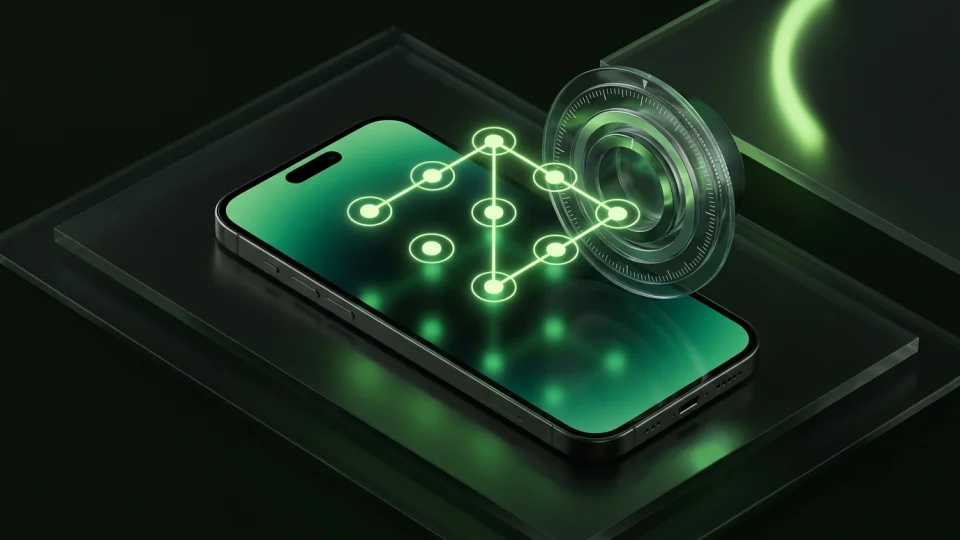
| Lock screen varietiesChoices for your unlock secret | PIN, passphrase, 3×3 pattern, or safe combination dial | Numeric PIN / dot lock |
| Optional Face ID / Touch IDBiometric unlock support | Yes | Yes |
| Swipe-to-clean camera roll reviewReview photos one card at a time: left delete, right keep, up vault | Yes | No |
| Encrypt PDFs & general filesImport documents from the iOS Files picker | Yes | Notes & contacts; limited arbitrary file encryption |
| Third-party ad SDKsWhether ads appear during normal app use | None | Ad-supported free version |
| Cloud upload riskWhether vault items leave the device | 100% local on iPhone; excluded from iCloud & computer backups | Local by default; optional cloud backup on paid plans |
| No account or email sign-upStart using the vault without sharing personal info | Yes | Yes |
| Queued deletion review & undoCheck queued camera roll deletions before confirming the iOS prompt | Yes | No |
| App switcher blur & capture maskingObscures content in app switcher and during detected capture | Yes | App switcher lock screen |
| Automatic scratch-file cleanupRemoves temporary decrypted document previews when closed or locked | Yes | Not applicable |
Pricing & storage model
Octoshield
- AES-256-GCM encrypted photo, video & file vault
- PIN, passphrase, 3×3 pattern & safe combination dial locks
- Swipe-to-clean photo organizer (left delete, right keep, up vault)
- No account, no email, no Octoshield cloud servers
- Check the App Store listing for current version and optional purchase details
- Same local AES-256-GCM encryption architecture across the app
SPV Photo Vault
- Basic photo/video albums and PIN lock
- Supported by banner and interstitial ads
- Removes ads and unlocks decoy PIN, custom album covers, and cloud backup
Why chunked AES-256-GCM matters more than a PIN screen
When you put sensitive photos or documents into a vault, you want to know that the actual files on flash storage are encrypted—not just placed behind an app login screen. Octoshield encrypts every imported file in chunks using AES-256-GCM with per-item keys derived from a random master key, and protects the master key using your secret combined with a device-bound iOS Keychain key.
Thumbnails and the vault index are encrypted too, so filenames and small preview images are protected at rest.
Choose a passphrase, pattern, safe dial, or PIN
SPV uses a standard numeric PIN pad. Octoshield lets you pick the lock style you prefer: a high-entropy alphanumeric passphrase, a 3×3 pattern, a rotary safe combination dial, or a numeric PIN, plus optional Face ID or Touch ID.
Sort your camera roll while importing to the vault
Octoshield includes Cleaner, a swipe-based photo reviewer that deals random batches from your camera roll. Swipe left to queue unwanted photos for deletion, right to keep a photo in Apple Photos, or up to encrypt a copy into the vault and queue the original for deletion.
Strictly local storage and clear backup expectations
Octoshield never uploads your vault to a server and excludes its encrypted container from iCloud and computer backups. Because there is no recovery service or cloud copy, remember to export essential files before switching iPhones and maintain an independent backup of irreplaceable records.
What SPV Photo Vault users run into
Common tradeoffs people experience with SPV Photo Vault—and how Octoshield’s local architecture handles each scenario.
“Every few taps in SPV triggered a full-screen ad unless I signed up for a subscription.”
Octoshield approach: Octoshield is built without third-party advertising SDKs or intrusive video popups.
“I wanted a longer passphrase or a safe dial instead of the same 4-digit PIN format.”
Octoshield approach: Octoshield supports passphrases, 3×3 patterns, safe combination dials, and PINs.
“I needed to store PDF statements in the same encrypted vault as my ID photos.”
Octoshield approach: Octoshield’s file importer encrypts PDFs and other documents from the iOS Files picker using the same AES-256-GCM engine.
Frequently asked questions
01How does Octoshield protect my files differently from SPV?+
Octoshield encrypts every imported file, its thumbnail, and its index entry with AES-256-GCM using per-item keys derived from a random master key and bound to a device-specific iOS Keychain key.
02Does Octoshield delete my original photos automatically?+
No. Importing creates an encrypted copy in the vault first. You can then choose whether to delete the original from Apple Photos (which places it in Recently Deleted for up to 30 days).
03Can I use Octoshield without creating an account?+
Yes. Octoshield never asks for an email address, phone number, or account registration.
04What happens if I lose my iPhone?+
Because Octoshield is strictly local, device-bound, and excluded from backups, vault files on a lost iPhone cannot be recovered remotely. Always keep an independent backup of irreplaceable files.