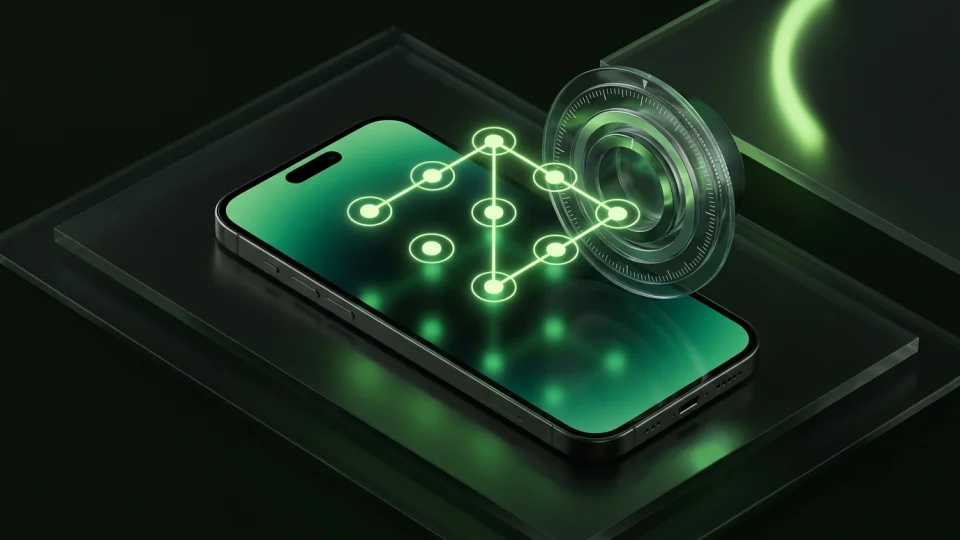
Choose Safe Lock if you specifically want its Wi-Fi transfer or cloud add-ons. Choose Octoshield if you want a rotary combination dial, pattern, PIN, or passphrase that directly unlocks a device-bound AES-256-GCM encrypted vault—plus a card-based camera roll cleaner with zero ad networks.
Feature-by-feature comparison
How Octoshield compares to Safe Lock across file encryption, unlock methods, cloud exposure, document support, and camera roll cleanup.
| Security & Product Feature | Octoshield | Safe Lock |
|---|---|---|
| Underlying file encryptionWhether the lock screen is backed by authenticated file encryption | AES-256-GCM in chunks with per-item keys + device-bound iOS Keychain key | UI lock screen over app storage; does not document per-item AES-256-GCM |
| Encrypted thumbnails & indexProtects preview images and filenames at rest | Yes | Not specified |
| Safe combination dial & pattern locksTactile non-PIN unlock interfaces | Yes (Safe combination dial, 3×3 pattern, PIN, and full passphrase) | Yes (Dot pattern, keypad, and dial styles depending on tier) |
| Optional Face ID / Touch IDBiometric unlock using a separate Keychain slot | Yes | Yes |
| Swipe-to-clean photo reviewSwipe left to delete, right to keep, up to vault | Yes | No |
| PDF & general file encryptionImport and encrypt documents from the iOS Files picker | Yes | Primarily media, notes, and contacts |
| Third-party advertising SDKsPresence of banner or interstitial ads | None | Ad-supported free version |
| Strict local-only storageExcluded from iCloud and computer backups with zero server uploads | Yes | Optional cloud sync in paid plans |
| No account requiredUse immediately without email registration | Yes | Yes |
| Queued deletion review & undoVerify queued camera roll removals before iOS deletes originals | Yes | No |
| App switcher & capture protectionMasks vault contents in app switcher and during detected screen capture | Yes | App switcher lock |
| Temporary preview cleanupWipes temporary decrypted document preview files on close/lock | Yes | Not documented |
Pricing & storage model
Octoshield
- AES-256-GCM encrypted photo, video & file vault
- PIN, passphrase, 3×3 pattern & safe combination dial locks
- Swipe-to-clean photo organizer (left delete, right keep, up vault)
- No account, no email, no Octoshield cloud servers
- Check the App Store listing for current version and optional purchase details
- Same local AES-256-GCM encryption architecture across the app
Safe Lock
- Basic album locking with advertisements
- Some lock styles and extras gated to paid upgrade
- Removes ads and unlocks decoy passcode, break-in alerts, and cloud options
A safe dial that actually derives an encryption key
An animated safe dial or pattern lock is fun to use, but as our security guides emphasize, a lock screen’s appearance means nothing if the files behind it are stored in plaintext. In Octoshield, whether you choose the rotary safe combination dial, the 3×3 pattern, a numeric PIN, or a full passphrase, your secret is combined with a device-bound iOS Keychain key to unlock the random master key that protects your AES-256-GCM encrypted files.
Protecting PDFs, thumbnails, and filenames
Octoshield goes beyond photo albums by letting you import PDFs and other documents from the iOS Files picker. Every file is encrypted in chunks with AES-256-GCM, and both the thumbnail cache and the file index are encrypted at rest.
Integrated swipe-to-clean photo organization
Instead of just storing hidden albums, Octoshield helps you tame your entire camera roll. Open Cleaner to review random batches of photos one card at a time: swipe left to queue unwanted shots for deletion, right to keep them in Photos, or up to encrypt them into your vault and queue the original for removal.
Device-bound privacy with no cloud leakage
Octoshield never uploads your vault to any server and marks its storage excluded from iCloud and computer backups. Keep an independent backup of irreplaceable files and export before changing iPhones, as Octoshield does not offer password resets or cloud restores.
What Safe Lock users run into
Common tradeoffs people experience with Safe Lock—and how Octoshield’s local architecture handles each scenario.
“Pop-up ads appear right after unlocking the app unless you pay to remove them.”
Octoshield approach: Octoshield contains no third-party advertising networks or video ad interruptions.
“It gives you different lock screens, but doesn’t explain if the files themselves are encrypted on disk.”
Octoshield approach: Octoshield documents its chunked AES-256-GCM file encryption, per-item key derivation, and device-bound Keychain integration.
“Importing photos still requires manually hunting through the standard grid picker.”
Octoshield approach: Octoshield’s Cleaner lets you review photos card by card and swipe up to vault private shots while swiping left to queue clutter for deletion.
Frequently asked questions
01Is Octoshield’s combination dial just visual, or does it encrypt my files?+
It is part of the cryptographic unlock path. Your combination dial (or PIN, pattern, or passphrase) is combined with a device-bound iOS Keychain key to unwrap the master key used for AES-256-GCM file encryption.
02Which lock method in Octoshield is the strongest?+
All four lock methods protect the same AES-256-GCM encrypted vault, but a longer, unique alphanumeric passphrase provides the highest entropy against guessing.
03Can I use Face ID alongside the safe dial or pattern lock?+
Yes. You can optionally enable Face ID or Touch ID, which uses a separate protected Keychain slot on supported devices.
04Does Octoshield back up my vault to iCloud?+
No. Octoshield excludes the vault from iCloud and computer backups so your encrypted container remains strictly on this iPhone.