Choose Calculator# only if a fake calculator icon is your top priority. Choose Octoshield if you want genuine AES-256-GCM encryption for photos, videos, and files, passphrase/pattern/dial locks that are stronger than a short calculator number, and zero ad-network clutter.
Feature-by-feature comparison
How Octoshield compares to Calculator# across file encryption, unlock methods, cloud exposure, document support, and camera roll cleanup.
| Security & Product Feature | Octoshield | Calculator# |
|---|---|---|
| Primary security modelWhat actually protects your files from unauthorized access | AES-256-GCM chunked file encryption + device-bound iOS Keychain key | Visual calculator disguise + numeric code entry |
| Encrypted thumbnails & file indexWhether metadata and small previews are encrypted on disk | Yes | Not documented |
| Unlock secret optionsTypes of secrets you can use to unlock the vault | PIN, full alphanumeric passphrase, 3×3 pattern, or safe combination dial | Numeric digits typed on a calculator keypad |
| Optional Face ID / Touch IDQuick biometric unlock via a separate Keychain slot | Yes | Yes |
| Swipe-to-clean camera roll organizerCard-by-card photo review: left delete, right keep, up vault | Yes | No |
| PDF & document encryptionImport and encrypt files from the iOS Files picker | Yes | Some document/note support (often gated to VIP subscription) |
| Third-party ads & VIP popupsWhether ads or recurring weekly/monthly paywalls interrupt access | No ads, no weekly subscription traps | Heavy ad interruptions and frequent VIP subscription prompts |
| Backup exclusionPrevents unencrypted or cloud backup leakage | Excluded from iCloud and computer backups by design | Varies; optional cloud backup offered in paid tiers |
| App switcher privacy screenHides open content when swiping up to the iOS multitasking view | Yes | Shows calculator screen |
| Account registration requiredWhether you have to create an online profile | No | No |
| Safe deletion queue for camera rollReview and undo swipe decisions before iOS deletes originals | Yes | No |
| Transparent security documentationClearly explains cipher, key derivation, and recovery limits | Yes | No |
Pricing & storage model
Octoshield
- AES-256-GCM encrypted photo, video & file vault
- PIN, passphrase, 3×3 pattern & safe combination dial locks
- Swipe-to-clean photo organizer (left delete, right keep, up vault)
- No account, no email, no Octoshield cloud servers
- Check the App Store listing for current version and optional purchase details
- Same local AES-256-GCM encryption architecture across the app
Calculator#
- Basic calculator lock screen and photo import
- Frequent full-screen ads and upgrade prompts upon opening
- File types and album features restricted
- Removes ads and unlocks cloud/album extras
- Often uses weekly auto-renewing trial pricing
Why a calculator disguise is no longer a secret
Ten years ago, a second calculator icon on an iPhone home screen might have gone unnoticed. Today, Calculator# and its clones are widely known across social media, and anyone seeing a third-party calculator app alongside Apple’s built-in Calculator immediately knows it is a photo vault.
More importantly, a clever icon does nothing to protect the underlying files if the app only hides them behind a UI screen. Octoshield focuses on real cryptography: every file, thumbnail, and index entry is encrypted at rest using AES-256-GCM with per-item keys derived from a random master key and bound to the iOS Keychain.
Passphrases, patterns, and dials beat a short calculator number
Because a calculator interface only has digits 0–9 and arithmetic keys, calculator vaults force you into a numeric code. Octoshield lets you choose the unlock method that fits your threat model: a full alphanumeric passphrase for high entropy, a 3×3 pattern, a numeric PIN, or an interactive safe combination dial—plus optional Face ID or Touch ID.
Declutter and vault in the same gesture flow
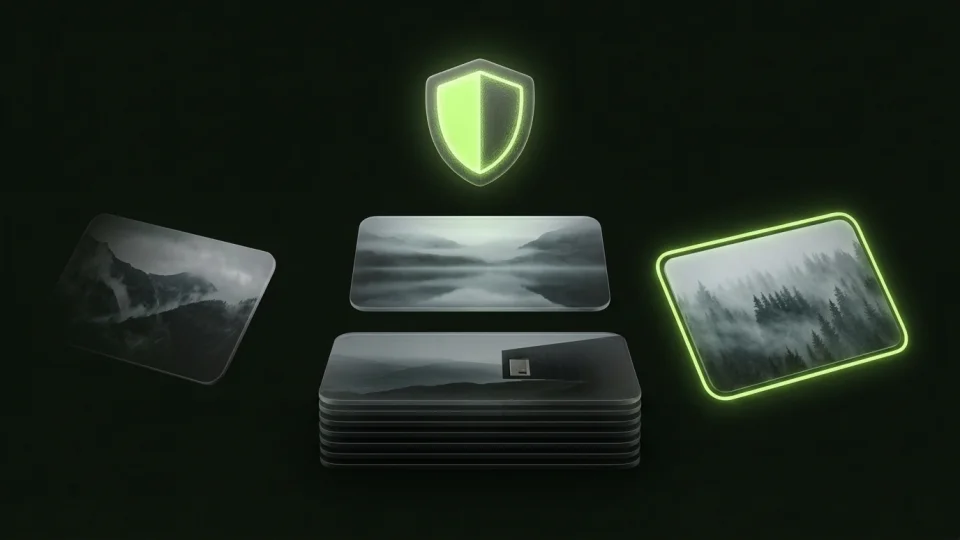
Calculator# only acts as a destination folder. Octoshield pairs its encrypted vault with Cleaner, a card-stack reviewer for your iPhone camera roll. Swipe left to queue blurry shots and old screenshots for deletion, swipe right to keep memories in Photos, or swipe up to encrypt a photo straight into your vault and queue the original for removal.
No weekly subscription traps or surprise cloud sync
Many calculator vault apps use aggressive weekly subscriptions and confusing cloud backup toggles. Octoshield is free to download, runs 100% locally on your iPhone with no ad networks, and clearly states its boundaries: your vault is excluded from backups and cannot be reset if you lose your secret, so you always know exactly how your data is handled.
What Calculator# users run into
Common tradeoffs people experience with Calculator#—and how Octoshield’s local architecture handles each scenario.
“Having two calculator apps on my iPhone actually drew more attention than having a clean utility app.”
Octoshield approach: Octoshield relies on real AES-256-GCM encryption and strong secrets (including full passphrases and safe dials) rather than a gimmick disguise.
“Every time I typed my code into the calculator, an unskippable ad or a $4.99/week trial popup blocked my photos.”
Octoshield approach: Octoshield has no third-party ad SDKs and no intrusive popup ads when you unlock your vault.
“I wanted to use a real word-based passphrase instead of a 4-digit number.”
Octoshield approach: Octoshield supports full passphrases, 3×3 patterns, safe combination dials, and PINs.
Frequently asked questions
01Is a calculator vault safer than a regular encrypted vault?+
A disguise only changes what the app icon looks like. Actual file safety depends on whether the app encrypts your files, thumbnails, and filenames on disk. Octoshield uses authenticated AES-256-GCM encryption in chunks with device-bound Keychain keys.
02Can I transfer my photos out of Calculator# into Octoshield?+
Yes. Export your photos and videos from Calculator# back to your iPhone Photos library or Files, import them into Octoshield, verify that every file opens properly inside the vault, and then delete the unencrypted copies.
03Does Octoshield charge a weekly subscription to view my own photos?+
No. Octoshield is free to download and never holds your already-imported files hostage behind a weekly subscription wall.
04Can Octoshield also clean up my normal camera roll?+
Yes. Octoshield includes Cleaner, which lets you swipe left to queue unwanted photos for deletion, right to keep them, or up to encrypt them into the vault.