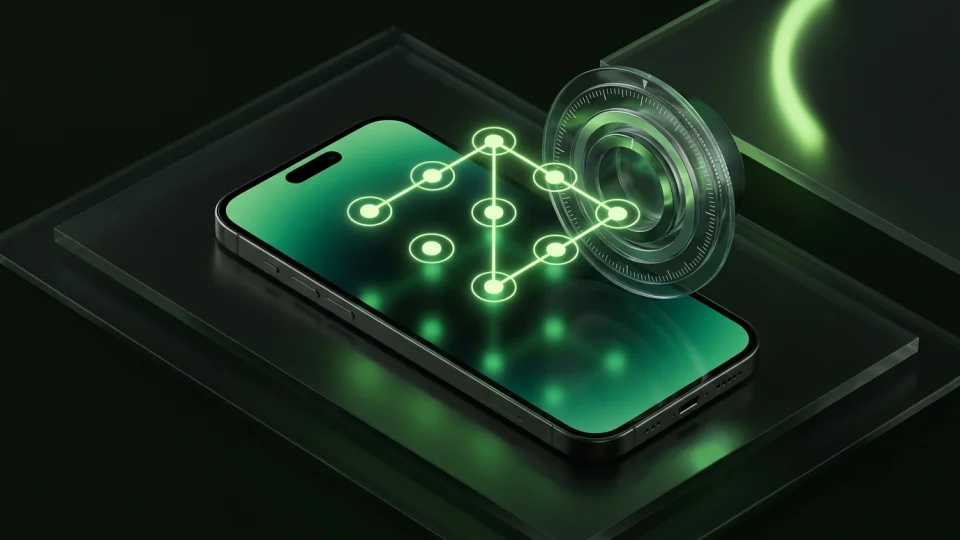
Choose Hide It Pro only if you specifically want an ‘Audio Manager’ fake screen. Choose Octoshield for modern, native iOS security: AES-256-GCM encryption for files, thumbnails, and metadata, four lock styles (PIN, passphrase, pattern, safe dial), and a built-in swipe photo cleaner with zero ad networks.
Feature-by-feature comparison
How Octoshield compares to Hide It Pro across file encryption, unlock methods, cloud exposure, document support, and camera roll cleanup.
| Security & Product Feature | Octoshield | Hide It Pro |
|---|---|---|
| Security foundationHow stored photos, videos, and documents are protected | Authenticated AES-256-GCM chunked encryption + device-bound Keychain key | Audio Manager UI disguise + optional encryption plugin/settings |
| Encrypted thumbnails & index by defaultProtects filenames and small previews without extra plugins | Yes | No |
| Unlock secret optionsAvailable lock styles | PIN, passphrase, 3×3 pattern, safe combination dial + Face ID / Touch ID | Long-press logo + PIN or password |
| Swipe-to-clean camera roll organizerSwipe left to delete, right to keep, up to vault | Yes | No |
| PDF & document encryptionNative iOS Files picker import with AES-256-GCM encryption | Yes | Basic file hiding |
| Ad networks & trackersPresence of third-party advertising banners | None | Ad-supported with paid ad-removal upgrades |
| Cloud exposureWhether files leave the iPhone | Strictly local; excluded from iCloud & computer backups | Optional cloud backup integration |
| Account or email registrationWhether an email is requested for setup or recovery | No | Optional recovery email |
| Modern native iOS designBuilt specifically around current iOS Photos and Keychain APIs | Yes | Legacy cross-platform UI |
| Queued deletion review & undoVerify camera roll deletions before confirming the iOS system prompt | Yes | No |
| App switcher & capture protectionObscures vault contents in iOS app switcher and during detected capture | Yes | Shows Audio Manager screen |
| Temporary preview file wipingAutomatically deletes decrypted scratch files when preview closes | Yes | Not documented |
Pricing & storage model
Octoshield
- AES-256-GCM encrypted photo, video & file vault
- PIN, passphrase, 3×3 pattern & safe combination dial locks
- Swipe-to-clean photo organizer (left delete, right keep, up vault)
- No account, no email, no Octoshield cloud servers
- Check the App Store listing for current version and optional purchase details
- Same local AES-256-GCM encryption architecture across the app
Hide It Pro
- Audio Manager disguise and basic media hiding
- Contains third-party banner and interstitial ads
- Paid upgrades to remove ads and unlock extra plugins or cloud space
Why real encryption beats an ‘Audio Manager’ disguise
On iOS, an ‘Audio Manager’ app with volume sliders makes very little sense because iOS does not allow third-party apps to independently control system ringtone, notification, and alarm volume channels the way older Android versions did. Anyone familiar with iPhone apps will immediately question why an Audio Manager icon is on your home screen.
Octoshield does not rely on a fake utility screen. Instead, it encrypts every imported file, thumbnail, and index entry with AES-256-GCM in chunks using per-item keys derived from a random master key and bound to the iPhone’s Keychain.
Four native lock styles + optional Face ID / Touch ID
Rather than holding down a fake logo, Octoshield gives you a fast, deliberate unlock experience with your choice of a numeric PIN, a full passphrase, a 3×3 pattern, or a safe combination dial, plus optional biometric unlock.
Clean up your iPhone camera roll at the same time
Octoshield’s Cleaner lets you flip through random card batches from your photo library: swipe left to queue unwanted photos for deletion, right to keep them in Photos, or up to encrypt a copy into your vault and queue the original for removal.
No cloud servers, no recovery backdoors
Octoshield keeps your encrypted vault strictly on your iPhone and excludes it from iCloud and computer backups. There is no recovery email or server reset—so remember your secret and export important files before changing devices.
What Hide It Pro users run into
Common tradeoffs people experience with Hide It Pro—and how Octoshield’s local architecture handles each scenario.
“The Audio Manager sliders don’t actually make sense on an iPhone and the interface feels a decade old.”
Octoshield approach: Octoshield is built natively for iPhone with modern iOS Keychain integration, clean typography, and smooth card gestures.
“I assumed hiding a file meant encrypting it, rather than just moving it into a hidden folder.”
Octoshield approach: In Octoshield, AES-256-GCM encryption is mandatory and automatic for every imported photo, video, file, thumbnail, and index entry.
“Having ad networks load banners inside a secret vault defeats the feeling of privacy.”
Octoshield approach: Octoshield has zero third-party ad networks.
Frequently asked questions
01Does Octoshield use a fake app disguise?+
No. Octoshield relies on authenticated AES-256-GCM encryption and a separate secret (PIN, passphrase, pattern, or combination dial) rather than pretending to be a calculator or audio slider.
02Are all files encrypted automatically in Octoshield?+
Yes. Every photo, video, and document you import is automatically encrypted in chunks with AES-256-GCM, along with its thumbnail and index entry.
03Can I import PDFs and documents into Octoshield?+
Yes. Use the file importer to select PDFs and other files from the iOS Files picker.
04Does Octoshield send recovery emails?+
No. Octoshield never asks for your email address and has no password reset server.