Choose Keepsafe if you specifically want an account-linked vault with multi-device cloud sync and email-based PIN recovery. Choose Octoshield if you want local-only AES-256-GCM file encryption with zero account registration, four lock interfaces (PIN, passphrase, 3×3 pattern, combination dial), and a built-in swipe-to-clean camera roll organizer.
Feature-by-feature comparison
How Octoshield compares to Keepsafe across file encryption, unlock methods, cloud exposure, document support, and camera roll cleanup.
| Security & Product Feature | Octoshield | Keepsafe |
|---|---|---|
| File-level encryptionHow imported photos, videos, and documents are stored on disk | AES-256-GCM chunked encryption with per-item keys derived from a random master key | Account-gated vault; encryption advertised primarily on paid Premium tiers |
| Encrypted thumbnails & indexWhether preview thumbnails and file names are also encrypted at rest | Yes | Varies by tier |
| Account or email requiredWhether onboarding asks for personal identity details | No | Yes (email registration standard) |
| Storage locationWhere vault files live after import | 100% local on iPhone (excluded from iCloud & computer backups) | Local cache + Keepsafe Private Cloud servers |
| Unlock secret stylesTypes of custom secrets supported for unlocking the vault | PIN, full passphrase, 3×3 pattern, or safe combination dial | PIN / numeric keypad (alphanumeric on select tiers) |
| Optional Face ID / Touch IDBiometric unlock using a separate iOS Keychain-protected slot | Yes | Yes |
| Device-bound Keychain bindingCombines your secret with a hardware-backed iOS Keychain key | Yes | No |
| PDF & general file encryptionImport and encrypt arbitrary documents from the iOS Files picker | Yes | Primarily photos, videos & ID card templates |
| Swipe-to-clean photo organizerReview camera roll cards: left delete, right keep, up to vault | Yes | No |
| Advertising in free experienceWhether third-party ad SDKs or upgrade popups interrupt usage | No | Ad-supported / frequent Premium upsells |
| Cloud sync & remote password resetAbility to restore vault on a new phone via email login | No | Yes |
| App switcher privacy blurObscures vault contents when switching apps on iOS | Yes | Yes |
Pricing & storage model
Octoshield
- AES-256-GCM encrypted photo, video & file vault
- PIN, passphrase, 3×3 pattern & safe combination dial locks
- Swipe-to-clean photo organizer (left delete, right keep, up vault)
- No account, no email, no Octoshield cloud servers
- Check the App Store listing for current version and optional purchase details
- Same local AES-256-GCM encryption architecture across the app
Keepsafe
- Requires account creation with email
- Limited cloud item quota (~200 items)
- Ad-supported interface with frequent upgrade prompts
- Up to 5,000–10,000+ cloud-stored photos and videos
- Album-level locks, break-in alerts, and fake PIN
- Recurring subscription required to maintain full cloud quota
Account-linked cloud storage vs device-bound encryption
The most important difference between Octoshield and Keepsafe happens in the first ten seconds after opening the app. Keepsafe is built around a registered user account tied to your email address and backed by Keepsafe’s Private Cloud infrastructure. That design makes it easy to sign in on a replacement phone, but it also links your identity to the fact that you use a photo vault and places copies of your files on remote servers.
Octoshield has no user accounts, no sign-up screens, and no cloud servers. When you initialize your vault, Octoshield generates a random master key on your iPhone and combines your chosen secret with a device-bound iOS Keychain key. Imported photos, videos, and files are encrypted in chunks using AES-256-GCM, along with their thumbnails and the vault index. Nothing leaves your device.
Four lock interfaces instead of a single PIN pad
Many people download a photo vault because their iPhone passcode is already known to a partner or family member, or because a standard 4-digit PIN Pad looks identical to the iOS lock screen. Keepsafe primarily relies on a numeric PIN pad (with biometric support and optional fake PIN features on paid plans).
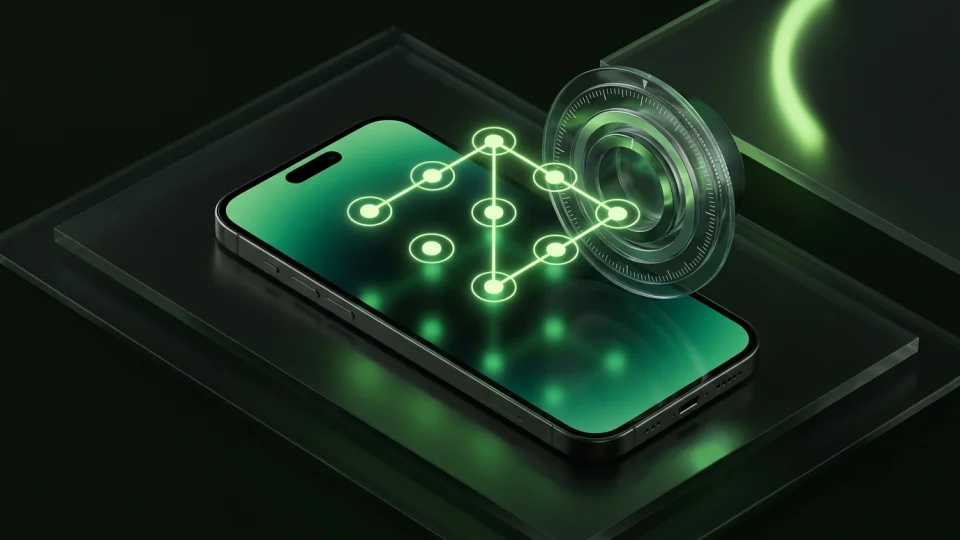
Octoshield gives you four distinct lock styles right from setup: a numeric PIN, a full keyboard passphrase for high-entropy secrets, a 3×3 pattern grid, or a tactile rotary safe combination dial. You can also enable Face ID or Touch ID, which uses a separate protected Keychain slot so convenience never weakens your underlying file encryption.
Cleaning your camera roll while you protect private shots
Traditional vaults like Keepsafe require you to open a standard photo picker grid, hunt through thousands of tiny thumbnails, import batches manually, and then deal with the leftover camera roll clutter separately.
Octoshield integrates a dedicated Swipe-to-Clean workflow directly alongside the vault. Cleaner deals random card batches from your library: swipe left to queue unwanted clutter for deletion, swipe right to keep a photo in Apple Photos, or swipe up to encrypt the photo into your Octoshield vault and queue the original for removal in one fluid motion. Nothing is deleted from Photos until you review the queue and approve the iOS system confirmation prompt.
Understanding the recovery tradeoff honestly
Because Keepsafe holds account credentials and cloud backups, its support flow can help you reset a forgotten PIN via email or sync your library to a new iPhone—provided your subscription and cloud sync stayed active.
Octoshield makes the opposite security decision: the vault is strictly local, excluded from iCloud and computer backups, and has no password reset or recovery phrase service. If you forget your secret, delete the app, or lose your iPhone without exporting your files first, Octoshield cannot recover them. Always keep an independent backup of irreplaceable documents and export files before switching devices.
What Keepsafe users run into
Common tradeoffs people experience with Keepsafe—and how Octoshield’s local architecture handles each scenario.
“Why does a private photo vault need my email address and personal profile before I can even lock a single photo?”
Octoshield approach: Octoshield requires zero registration—no email, no phone number, and no server account. You set your local lock and start importing immediately.
“I thought my photos were just on my phone, then my trial ended and I kept getting warnings that my cloud storage was over limit.”
Octoshield approach: Octoshield stores everything locally on your iPhone’s own storage using AES-256-GCM encryption. There are no artificial cloud storage caps because there is no cloud server.
“Scrolling through years of screenshots and bursts in a tiny grid picker to find the photos I want to hide takes forever.”
Octoshield approach: Octoshield’s Cleaner lets you review photos one full card at a time—swiping left to delete junk, right to keep, and up to vault private images on the spot.
Frequently asked questions
01Does Octoshield upload photos to the cloud like Keepsafe?+
No. Octoshield has no cloud servers and does not upload your vault files anywhere. All encrypted files, thumbnails, and metadata remain locally inside the app’s storage on your iPhone.
02Can I move my photos from Keepsafe to Octoshield?+
Yes. Export or unhide your photos from Keepsafe back to your iPhone Photos library or Files app, import them into Octoshield where they are encrypted with AES-256-GCM, verify the imported copies, and then remove the unencrypted originals.
03What happens if I forget my Octoshield password compared to Keepsafe?+
Keepsafe can send a password reset to your registered email. Octoshield has no accounts, no recovery service, and no backdoor—if you lose both your secret and biometric access, your encrypted files cannot be recovered.
04Does Octoshield support PDFs and documents in addition to photos?+
Yes. Octoshield includes a dedicated file importer that lets you select PDFs and other documents from the iOS Files picker and encrypt those copies inside your vault.