Avoid leaving unencrypted tax returns in your Downloads folder or email attachments. Instead, import your tax PDFs into an on-device AES-256-GCM encrypted vault like Octoshield—which encrypts the file contents, thumbnails, and filenames behind a separate password—and delete the unencrypted copies from Files and Recently Deleted.
Why Downloads and Mail attachments are dangerous places for tax returns
No single file on a personal device carries a higher identity-theft payload than a tax return PDF. A single Form 1040, W-2, 1099, K-1, or local tax assessment bundles your full legal name, date of birth, Social Security Number (or national tax ID), spouse and dependent SSNs, home street address, employer EIN, exact annual income, and bank routing and account numbers for direct deposit.
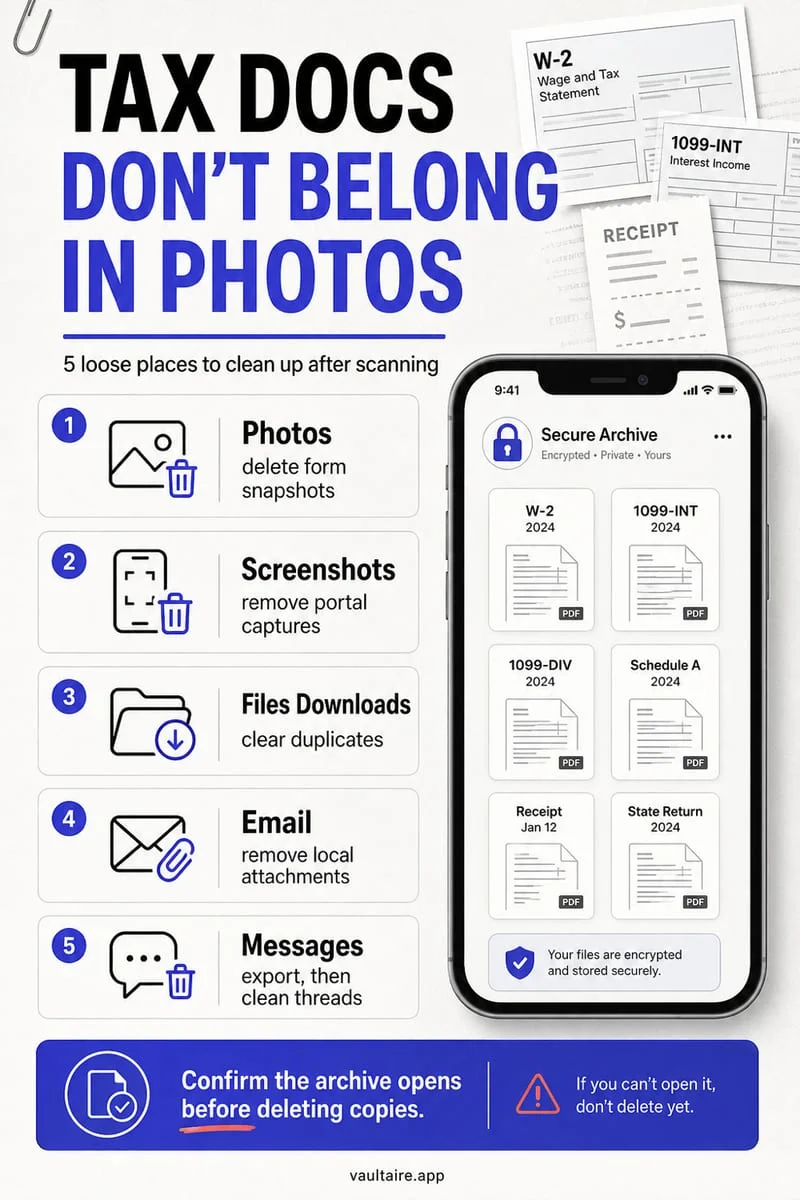
Yet millions of iPhone users tap 'Download' on their tax software portal or accountant's email in Safari, inspect the PDF once, and forget that iOS saved an unencrypted copy straight into `Files → Downloads`. Sitting in Downloads, that tax return appears at the top of Recent Files, gets full-text indexed by iOS Spotlight (so typing '1040', 'W-2', or your Social Security Number into search pulls it up), and uploads to iCloud Drive across every connected device.
| Storage Location | File & Filename Encrypted? | Protected from iPhone Passcode? | Cloud & Spotlight Exposure |
|---|---|---|---|
| Files App (Downloads folder) | No — plaintext PDF & filename | No — accessible once phone is unlocked | Indexed by Spotlight; synced to iCloud Drive |
| Apple Mail / Gmail Attachments | No — cached inside mail app | No — searchable in inbox by 'tax' or '1040' | Stored on mail servers & local cache |
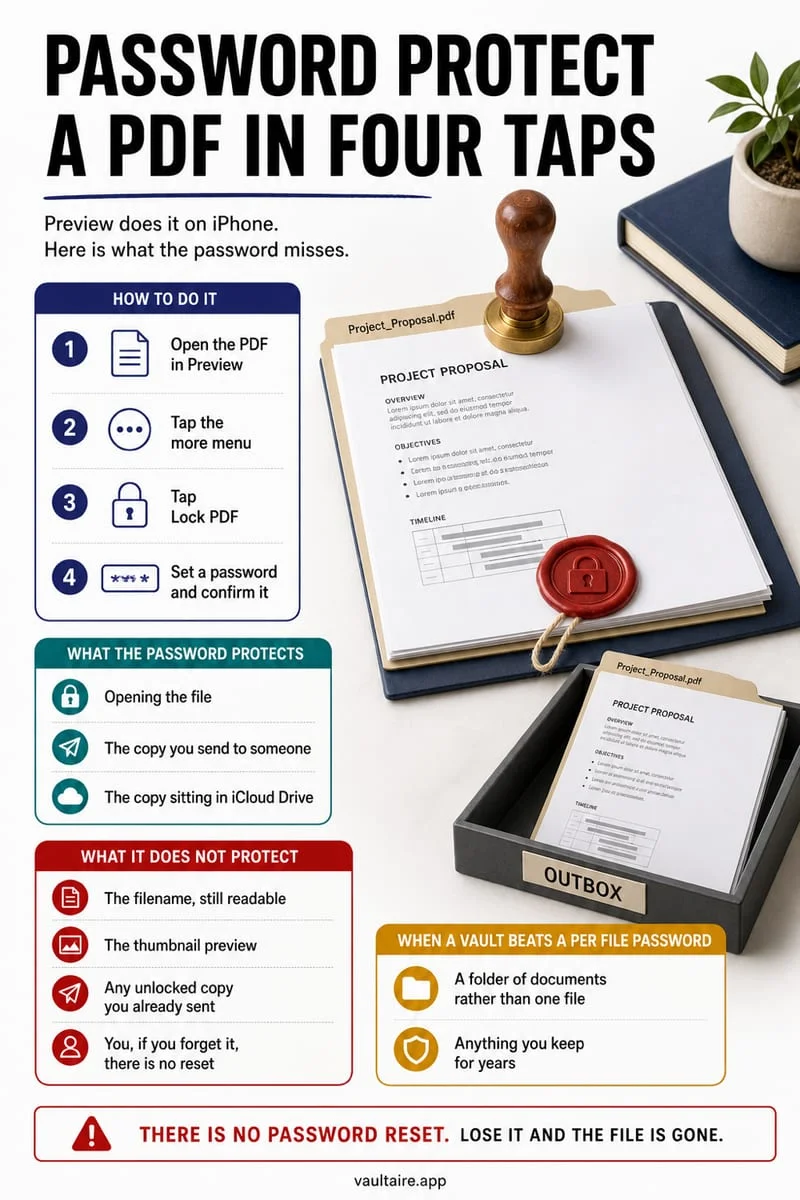
| Files App (Lock PDF password) | Content encrypted; filename visible | Yes — requires typed PDF password | File & filename still visible in Files/iCloud |
| Octoshield Encrypted File Vault | Yes — AES-256-GCM content, thumbnail & index | Yes — independent PIN, Passphrase, Pattern, or Dial | Zero cloud sync; hidden from Spotlight |
Import tax PDFs into Octoshield's AES-256-GCM File Vault
There are plenty of legitimate moments when having your last two or three years of tax returns and W-2s on your iPhone is a lifesaver: verifying your prior-year Adjusted Gross Income (AGI) for e-filing, applying for a mortgage or apartment lease, filling out college financial aid (FAFSA) forms, or answering an accountant's question while away from your desk. The key is keeping those files encrypted at rest behind a secret separate from your iPhone lock screen.
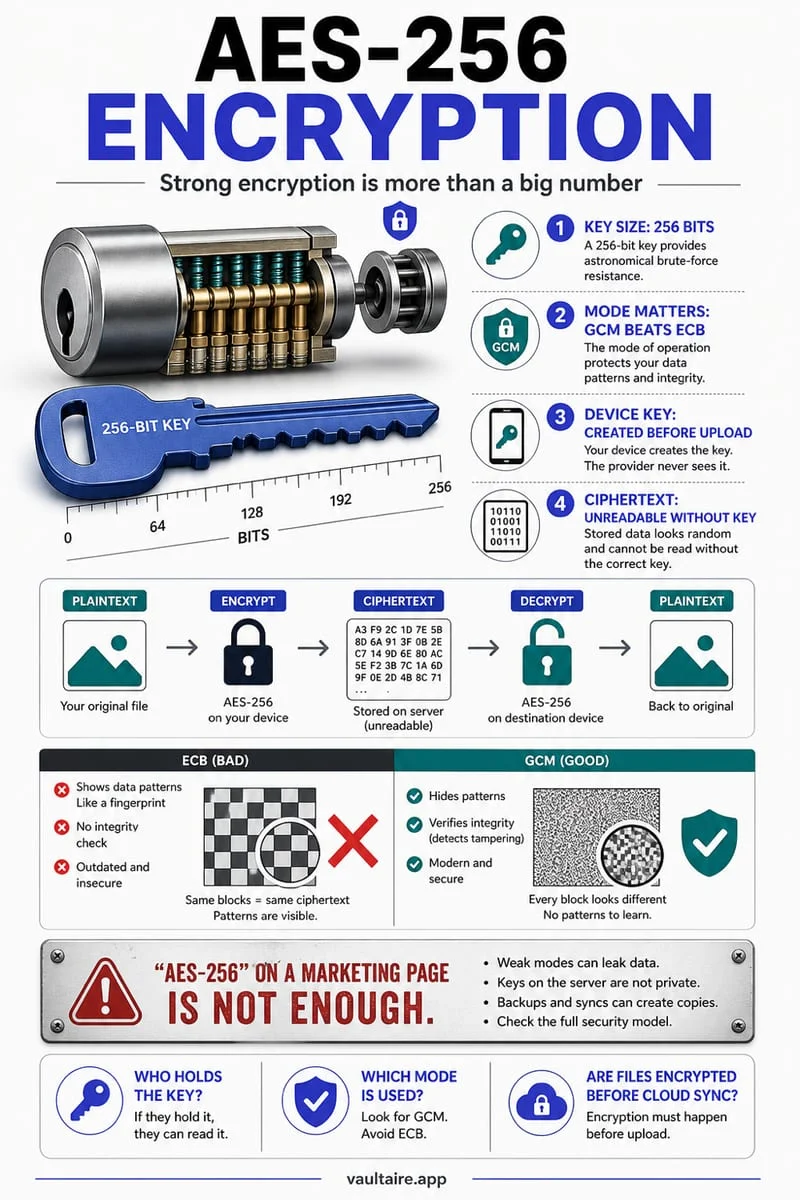
Octoshield (built by TengrX) encrypts imported PDFs, spreadsheets, and document scans in 512 KB chunks using AES-256-GCM authenticated encryption. Using HKDF-SHA256, Octoshield derives separate keys from a random 256-bit master key for every individual file, its preview thumbnail, and its catalog index record—so filenames like `2025-Federal-Tax-Return.pdf` are never exposed on disk or to Spotlight.
To protect the master key, Octoshield stretches your chosen PIN, passphrase, 3×3 pattern, or safe-style combination dial with PBKDF2-SHA256 and combines it with a random device-bound key stored in your iPhone's hardware-backed Keychain.
- Download your tax return, W-2, or 1099 PDF from your tax portal or CPA's secure link to On My iPhone in the Files app.
- Open Octoshield, unlock your vault with your PIN, passphrase, 3×3 pattern, or combination dial, and import the PDF using the file importer.
- Open the PDF inside Octoshield to confirm that all schedules, tables, and pages are crisp and complete.
- Return to the Apple Files app, delete the unencrypted PDF from Downloads/Recents, and empty Files → Browse → Recently Deleted.
Scrub hidden tax traces from Safari Downloads and your Camera Roll
After importing your main tax return PDF into Octoshield, check the two places where people frequently forget secondary tax records: mobile check/W-2 photos in the Camera Roll, and Safari's download history.
If you took photos of paper W-2s, property tax receipts, or charitable donation slips with your iPhone Camera to upload to TurboTax or send to your CPA, those images are still sitting in your Camera Roll where Live Text OCR indexes every dollar amount and tax ID. Use Octoshield's Cleaner to swipe up on those tax photos (moving them into your encrypted vault and queuing the Camera Roll originals for removal) or swipe left to delete them.
- Open Apple Photos and search for terms like 'W-2', '1099', 'Tax', or 'Internal Revenue' to spot unencrypted document photos sitting in your Camera Roll.
- Import any tax photos you want to keep into Octoshield (or swipe up on them in Cleaner), delete the Photos originals, and empty Photos → Recently Deleted.
- Open Safari, tap the Page menu / Downloads icon in the address bar, and tap Clear to remove the download history list.
Pair your iPhone pocket vault with an encrypted home archive (3-to-7-year rule)
Tax authorities such as the IRS generally recommend keeping tax returns and supporting documentation for 3 to 7 years (and indefinitely for property basis records). Because Octoshield is strictly local and device-bound—with zero cloud servers, no account recovery, and automatic exclusion from iCloud and computer backups—your iPhone vault cannot be exposed by a cloud breach, but it is not a replacement for your primary long-term home archive.
Keep your master multi-year tax archive on an encrypted external drive or encrypted Mac disk image at home, and treat Octoshield as your high-security pocket vault for the returns and statements you need on your iPhone.
Frequently asked questions
01Can I password-protect a tax PDF before emailing it to my accountant?+
Yes, though email is still risky for tax documents if your accountant offers a secure client upload portal. If you must email a PDF, export a copy to the Apple Files app, tap the top title dropdown → Lock PDF to set a strong 12+ character password, email the locked file, and give your accountant the password over a voice call or Signal message.
02Can Spotlight search find my tax documents inside Octoshield?+
No. Octoshield encrypts the PDF binary, preview thumbnail, and vault catalog index with AES-256-GCM and never registers filenames or document text with iOS Spotlight or Apple Intelligence.
03What happens to my tax PDFs in Octoshield when I upgrade to a new iPhone?+
Because Octoshield's encryption keys are bound to your current iPhone's hardware Keychain and excluded from iCloud and computer backups, you must unlock Octoshield and export your PDFs before trading in or resetting your old iPhone, then re-import them on your new device.
04Is it safe to take a photo of my W-2 or Social Security card with the iPhone Camera?+
Only if you immediately move that photo out of the Apple Photos app into an encrypted vault like Octoshield and permanently delete the original from Photos → Recently Deleted. Leaving a W-2 or Social Security card in your Camera Roll exposes it to Live Text search, iCloud syncing, and third-party apps with Full Photo Library Access.
05Does locking the Files app with Face ID encrypt my tax PDFs?+
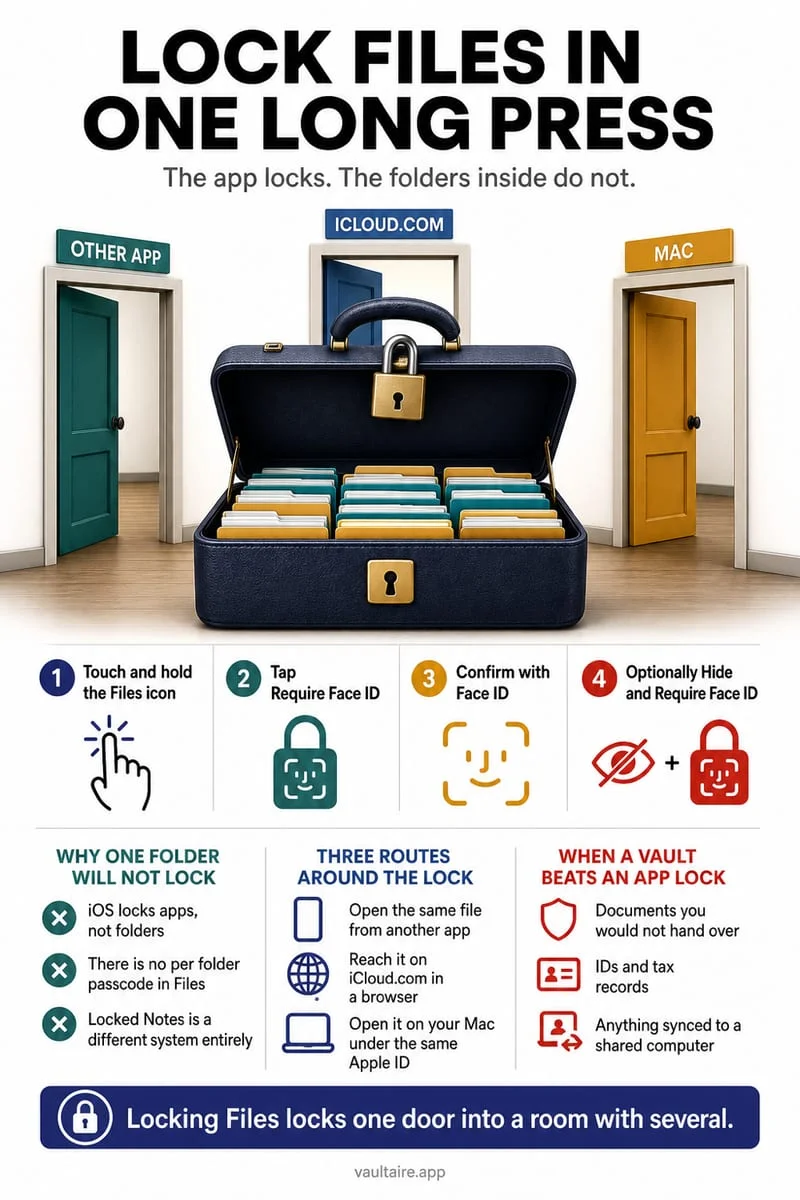
No. Enabling 'Require Face ID' on the Files app icon only puts a biometric prompt on the app UI that falls back to your standard iPhone passcode, and any files inside iCloud Drive remain accessible on other signed-in devices. Octoshield encrypts each file individually with AES-256-GCM behind an independent secret.
Official sources & further reading
Keep sensitive PDFs, IDs & documents in an encrypted iPhone vault.
The iOS Files app leaves filenames and folders exposed whenever your phone is unlocked. Import tax returns, passport scans, and private PDFs into Octoshield for hardware-bound AES-256-GCM protection.
- Encrypts PDFs, scans, documents, photos, and videos on-device
- Hides document filenames inside an encrypted catalog index
- Automatic cleanup of temporary preview scratch files on lock
- PBKDF2-SHA256 + iPhone Keychain hardware key binding
 AES-256-GCM + Cleaner
LOCAL IPHONE SANDBOX · KEYCHAIN BOUND
iOS menus can vary slightly by iOS version. Octoshield instructions describe the current local app implementation engineered by TengrX. Check the App Store listing for the version available to download.