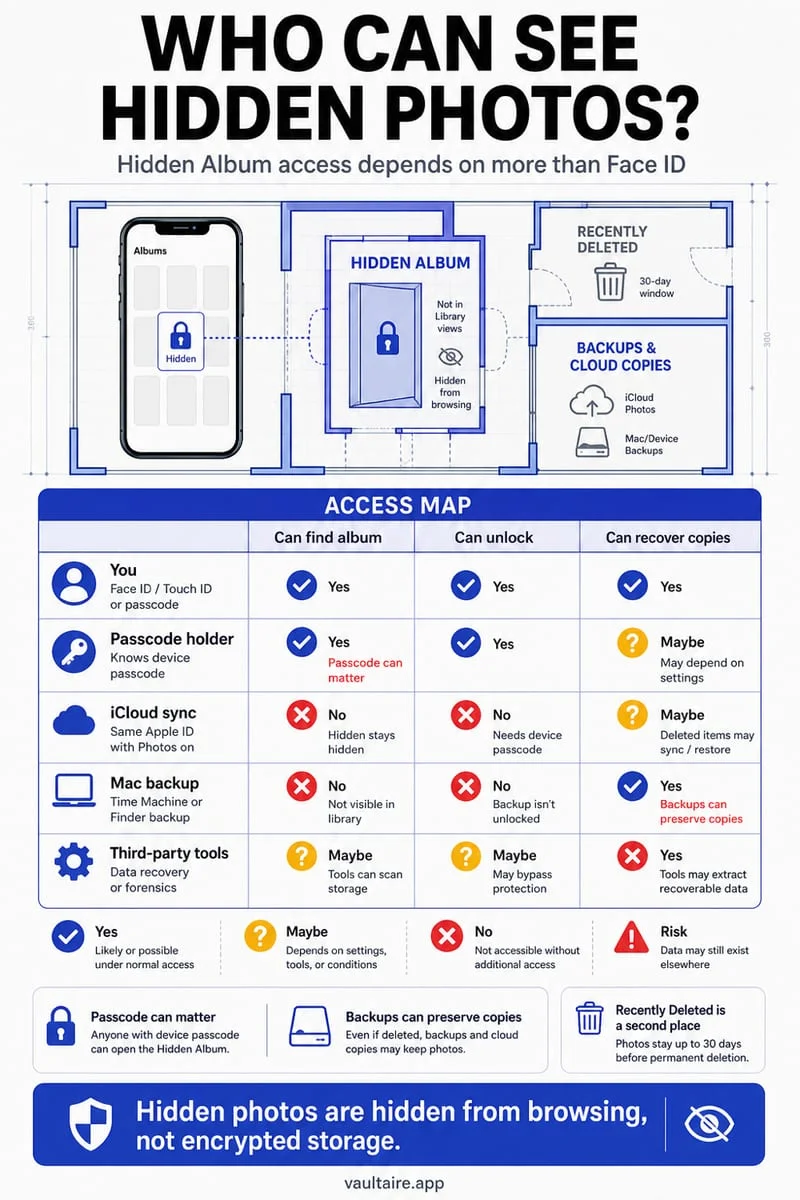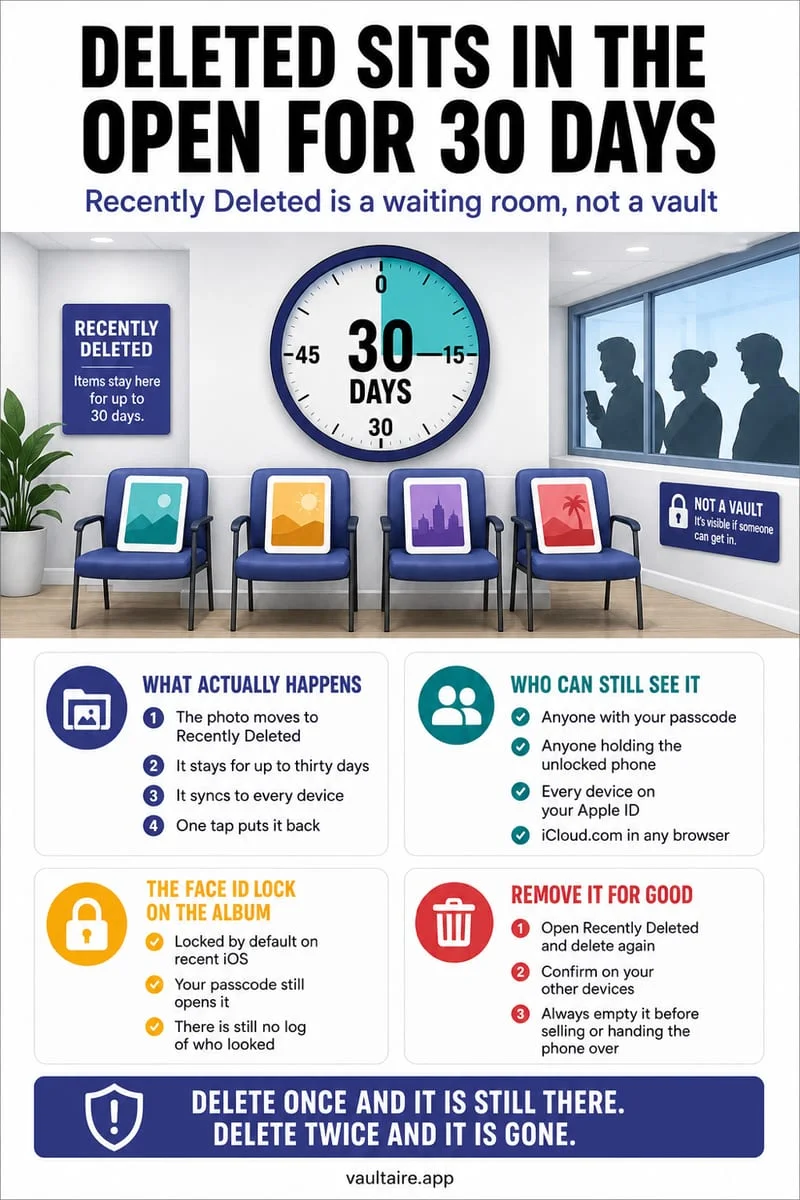
Yes—when you delete a photo or video on iPhone, it is not erased immediately; it moves to Collections → Utilities → Recently Deleted for up to 30 days. Anyone who knows your iPhone passcode (or has access to a synced iPad, Mac, or iCloud.com account) can unlock Recently Deleted and view or restore those photos until you manually tap Delete Permanently.
Why 'deleted' iPhone photos stay visible for up to 30 days
To prevent accidental data loss, Apple Photos routes every deleted image, Live Photo, and video into a 30-day holding album located under Collections → Utilities → Recently Deleted. Even when you delete a photo after importing it into a vault app—or after swiping through your camera roll with a photo cleaner—the unencrypted original file sits inside Recently Deleted until the 30-day countdown expires or you manually purge it.
Although modern iOS places a Face ID prompt on the Recently Deleted album by default, that prompt uses your regular iPhone screen passcode as its immediate fallback. Anyone who knows your 4- or 6-digit unlock code can fail Face ID twice, enter your passcode, see the exact day countdown showing how recently you deleted each item, and tap Recover to put the photos right back into your camera roll.
Furthermore, if iCloud Photos is enabled, your Recently Deleted album synchronizes across every iPad, Mac, and iCloud.com browser session signed into your Apple Account for the entire 30-day period.
- Open the Apple Photos app and scroll down to Collections → Utilities → Recently Deleted.
- Authenticate with Face ID, Touch ID, or your iPhone passcode.
- Tap Select in the top-right corner, then tap the More button (three dots) in the bottom-right corner and choose Delete All (or select specific items and tap Delete).
- Tap Delete From All Devices to permanently erase the unencrypted files immediately.
Fast cleanup workflow: Swipe to clean with Octoshield, then empty the bin
If your camera roll has accumulated thousands of old screenshots, duplicate burst shots, and sensitive private photos mixed together, hunting through your library one thumbnail at a time takes hours. Built by TengrX, Octoshield pairs an AES-256-GCM encrypted vault with a fast gesture-driven Cleaner so you can triage your camera roll in minutes.
Inside Octoshield's Cleaner tab, three intuitive gestures handle everything at once: swipe left to queue unwanted clutter for deletion, swipe right to keep a photo in your library, or swipe up to encrypt a private photo or video directly into your vault (in 512 KB AES-256-GCM chunks with HKDF-SHA256 per-item keys) and queue the original copy for removal from Apple Photos.
Because Apple's iOS PhotoKit security rules require all third-party apps to move deleted library originals into Apple Photos' Recently Deleted album rather than bypassing the 30-day trash bin silently, your final step after any vault import or Cleaner session is to open Apple Photos → Utilities → Recently Deleted and tap Delete All. That single habit both reclaims gigabytes of physical storage immediately and closes the 30-day privacy gap.
Every 'Recently Deleted' bin on iPhone where private files can hide
Emptying Apple Photos' Recently Deleted album purges your main photo library and iCloud Photos, but iOS maintains three other independent 30-day trash folders across built-in apps. If you ever downloaded a PDF or image to the Files app, deleted a text message thread containing a photo, or tested a locked note, those items remain recoverable in their respective app bins.
Use the table and checklist below to clear every hidden 30-day recovery folder on your iPhone.
- Clear Apple Photos: open Photos → Collections → Utilities → Recently Deleted → Select → More (three dots) → Delete All.
- Clear Apple Files: open Files → Browse → Locations → Recently Deleted → Select → Delete All.
- Clear Apple Messages: open Messages → tap Edit (top-left) → Show Recently Deleted → select sensitive conversations or attachments → Delete.
- Clear Apple Notes: open Notes → Folders → Recently Deleted → Edit → Delete All.
| Apple App | Exact Path to Recently Deleted | Retention Window | Locked by Default? |
|---|---|---|---|
| Apple Photos | Photos → Collections → Utilities → Recently Deleted | 30 days | Yes (Face ID + iPhone passcode fallback) |
| Apple Files | Files → Browse → Locations → Recently Deleted | 30 days | No (open inside Files unless app is locked) |
| Apple Messages | Messages → Edit (or Filters) → Show Recently Deleted | 30 to 40 days | No (open inside Messages unless app is locked) |
| Apple Notes | Notes → Folders → Recently Deleted | 30 days | Unencrypted notes are visible; locked notes stay locked |
How deleting a file inside Octoshield's encrypted vault works
Unlike Apple Photos, when you delete an item that is already stored inside Octoshield's local Photo Vault or File Vault, it does not get routed back to Apple Photos or uploaded to iCloud. Octoshield deletes the 512 KB AES-256-GCM ciphertext chunks, the encrypted thumbnail, and the HKDF-SHA256 derived index entry directly inside its private sandbox.
Because Octoshield's master key is protected by your PBKDF2-SHA256 stretched secret (PIN, passphrase, 3×3 pattern, or safe-style combination dial) combined with a device-bound iOS Keychain key, and all vault storage is excluded from iCloud and computer backups, deleted vault items leave zero readable remnants behind.
Frequently asked questions
01Can someone recover a photo after I empty Recently Deleted on iPhone?+
Once you permanently delete a photo from Recently Deleted, it is immediately removed from Apple Photos and iCloud Photos and cannot be restored through the Photos app or iCloud.com.
02Why does Octoshield send deleted originals to Apple Photos' Recently Deleted album?+
Apple's iOS PhotoKit security framework requires all third-party apps to route camera roll deletions through the system confirmation dialog and into Apple Photos' Recently Deleted bin. You must empty Recently Deleted in Apple Photos to erase the unencrypted original immediately.
03Does deleting a photo inside Octoshield's encrypted vault put it back in Apple Photos?+
No. Items already inside Octoshield's encrypted vault are completely separate from Apple Photos; deleting an item from the vault deletes the encrypted vault file without touching your camera roll.
04Do photos in Recently Deleted still take up iPhone and iCloud storage space?+
Yes. Every photo and video sitting inside Recently Deleted continues consuming full storage space on your iPhone and in your iCloud storage quota until the 30-day timer expires or you tap Delete All.
05Can someone with my iPhone passcode see the exact day I deleted a photo?+
Yes. Apple Photos displays a badge on every thumbnail inside Recently Deleted showing the number of days remaining before automatic erasure (for example, '29 Days' means it was deleted yesterday).
Official sources & further reading
Clean your iPhone camera roll one swipe card at a time.
Review cluttered photo batches without grid fatigue: swipe left to queue unwanted shots for deletion, swipe right to keep memories in Apple Photos, or swipe up to encrypt private photos straight into your vault.
- Tactile 3-way card review: Left delete, Right keep, Up vault
- Safe review queue + instant Undo before iOS removes anything
- Built-in AES-256-GCM encrypted photo, video & file vault
- 100% local processing on your iPhone — free to download
 AES-256-GCM + Cleaner
LOCAL IPHONE SANDBOX · KEYCHAIN BOUND
iOS menus can vary slightly by iOS version. Octoshield instructions describe the current local app implementation engineered by TengrX. Check the App Store listing for the version available to download.