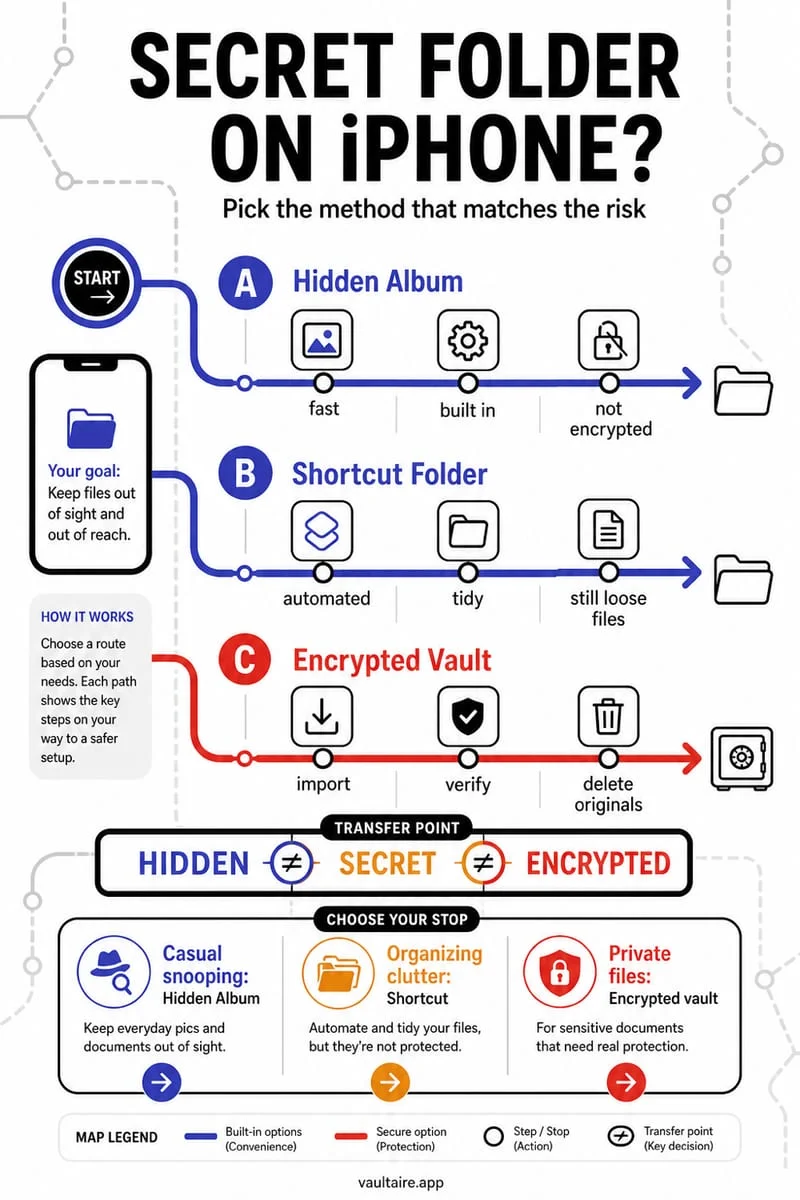
Apple Photos provides one built-in Hidden collection rather than a system for creating multiple independently locked Hidden albums. Ordinary album names do not add separate passwords. If you need a different organization or access model, evaluate an app’s actual folder and lock features before moving your files.
The built-in Hidden collection has one shared role
You want one private group for documents and another for personal pictures. In Photos, Hide sends selected media to the built-in Hidden collection. Creating two ordinary albums and giving them discreet names does not turn them into separately locked hidden containers.
Decide whether you need easier browsing or different access credentials. Those are separate requirements. Several folders behind one vault secret can help organization without creating separate protection for each folder.
Write down the features you actually need
Check whether the app you are considering supports folders, album naming, separate passwords, export, and the file types you use. Do not infer any of those from a screenshot showing a grid of thumbnails. Test with harmless files before reorganizing an important collection.
If different people should access different groups, a personal vault may not be the right sharing system. Review explicit multi-user or sharing support instead of handing out one secret and assuming other folders remain independently private.
- Separate organizational needs from separate-password needs.
- Check the exact app’s folder and lock documentation.
- Test import, navigation, and export with harmless media.
- Preserve important originals independently before changing your collection.
Do not create a maze of copies to imitate private albums
Duplicating pictures across Notes, Files, and several vaults can make them harder to manage without making the privacy boundary clear. Each copy has its own synchronization, backup, and deletion behavior. Keep a simple record of the locations you retain.
When removing a Photos source, verify the retained copy first and remember the iCloud Photos deletion effect. A single clear storage boundary is often easier to maintain than several vaguely named folders.
Use Octoshield when one separate encrypted vault fits
Octoshield provides a local encrypted vault with a separate secret for imported photos, videos, and files. It is an option for moving private material outside Photos, not a claim to create extra Apple Hidden albums or independent per-folder passwords.
Verify the current interface for your organization needs. Vault files are excluded from backups and have no recovery service, so retain essential files independently and export them before changing devices.
Frequently asked questions
01Does naming an album Hidden 2 give it another lock?+
No. An ordinary album name does not add encryption or an independent password.
02Does Octoshield promise separate passwords for every folder?+
No. The documented product boundary is a separate local vault secret. Check actual organization features rather than assuming per-folder locks.
Official sources & further reading
Lock your private photos behind real AES-256-GCM encryption.
Stop relying on a Hidden album that shares your iPhone lock-screen passcode. Import private photos and videos into Octoshield’s device-bound local vault with your own PIN, passphrase, 3×3 pattern, or safe combination dial.
- AES-256-GCM authenticated encryption in 512 KB chunks
- Encrypted thumbnails & filename catalog index at rest
- 4 lock styles: PIN, Passphrase, 3×3 Pattern, or Safe Dial + Face ID
- 100% on-device storage — zero cloud servers, zero ad SDKs
 AES-256-GCM + Cleaner
LOCAL IPHONE SANDBOX · KEYCHAIN BOUND
iOS menus can vary slightly by iOS version. Octoshield instructions describe the current local app implementation engineered by TengrX. Check the App Store listing for the version available to download.