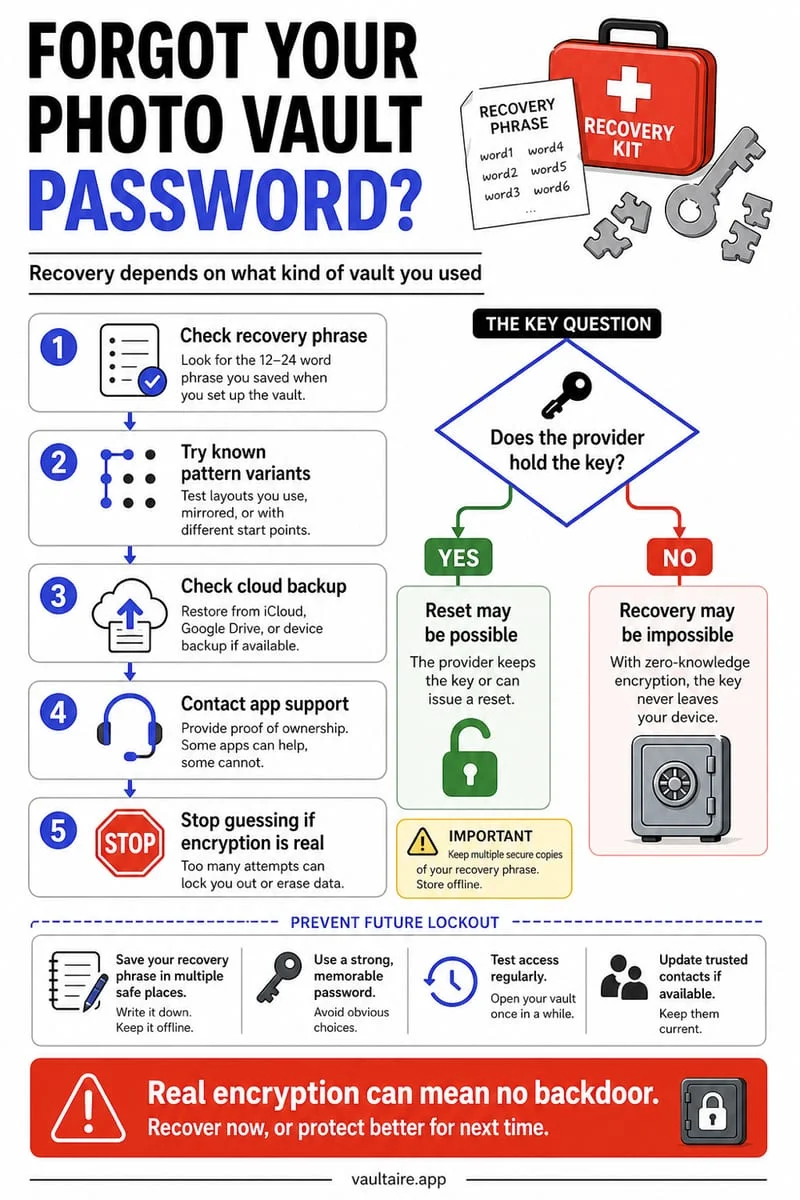
Whether you can recover a forgotten photo vault password on iPhone depends entirely on the vault's architecture: Apple's Hidden album unlocks with your normal iPhone passcode, and account-based vaults like Keepsafe offer email resets, whereas a strictly local zero-knowledge encrypted vault like Octoshield has no account, no cloud server, and no password reset backdoor.
Step 1: Identify which type of photo vault you locked
Before panicking or deleting anything, identify which app holds your locked photos. If you used the built-in iPhone Hidden album (Collections → Utilities → Hidden) or locked the Apple Photos app via Require Face ID, there is no separate vault password—it always unlocks with Face ID or your standard 4- or 6-digit iPhone screen passcode.
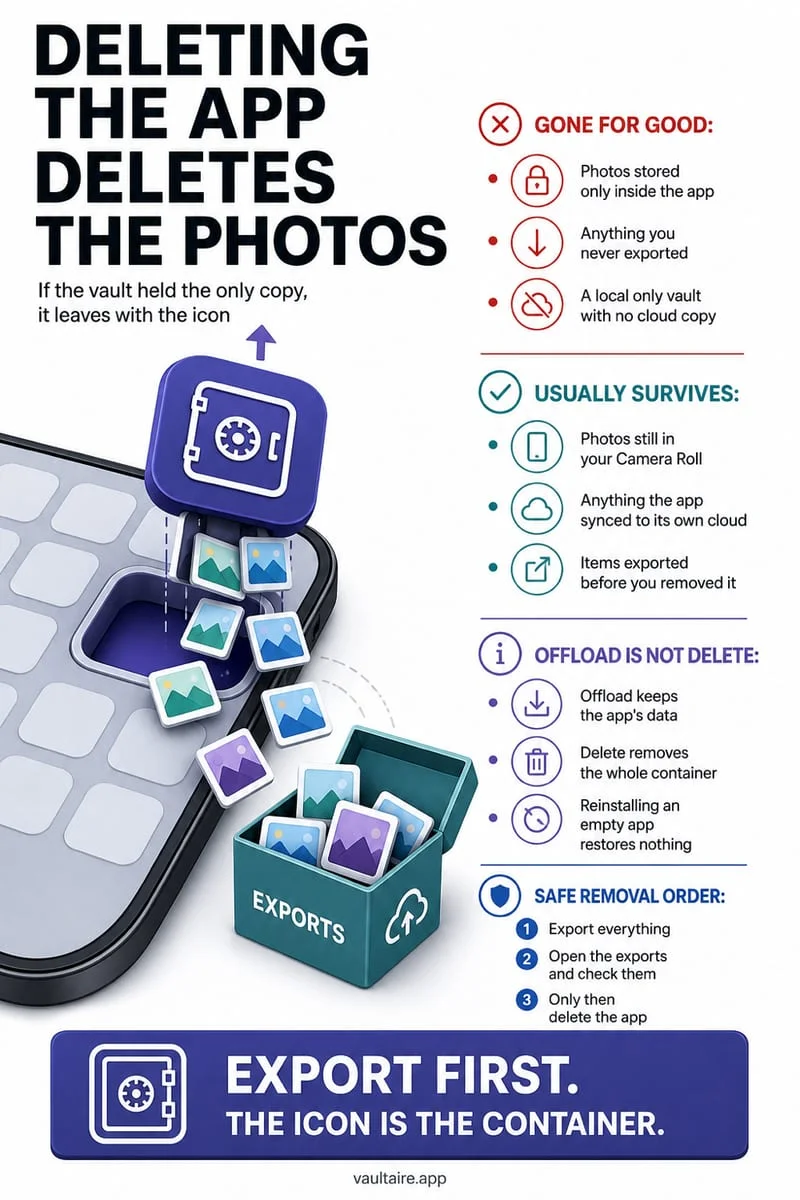
If you used an account-based third-party app (such as Keepsafe or Private Photo Vault) where you registered an email address during onboarding, look for a 'Forgot PIN?' or '?' icon on the lock screen to trigger an email reset link. Above all, never delete or reinstall the app while troubleshooting: uninstalling an iOS app immediately destroys its local sandbox container and every file inside it.
- Do NOT delete or reinstall the vault app—deleting an app on iOS permanently wipes its local sandbox storage.
- Check whether Face ID or Touch ID is still active on the vault's unlock screen; if biometric unlock is enabled, use it immediately and export your files to safety.
- If the locked item is inside Apple Photos Hidden, enter your regular iPhone unlock passcode when Face ID fails.
- If the locked item is inside Apple Notes, try your old Notes password or reset future Notes passwords in Settings → Apps → Notes → Password (note that resetting a Notes password does not decrypt previously locked notes without the old password or Face ID).
Why Octoshield has no password reset or recovery backdoor
In a genuine local cryptographic vault like Octoshield (built by TengrX), your privacy is mathematically guaranteed because no external party holds your decryption keys. Octoshield requires no user account or email, operates no cloud servers, excludes vault data from iCloud and computer backups, and provides no recovery service or remote password reset backdoor.
Here is the cryptographic reason why: Octoshield encrypts every file in 512 KB chunks using AES-256-GCM, with HKDF-SHA256 deriving separate keys for each file, each thumbnail, and the encrypted index from a random 256-bit master key. That master key is protected by stretching your secret (PIN, passphrase, 3×3 pattern, or safe-style combination dial) with PBKDF2-SHA256 and combining it with a random device-bound key stored in the iPhone's hardware-backed Keychain.
However, if you previously enabled optional Face ID / Touch ID inside Octoshield, the app stores access in a separate biometric-protected Keychain slot. As long as biometric unlock remains active and valid on your device, you can authenticate with Face ID or Touch ID to open your vault and export your files even if you forgot your manual secret.
| Vault Type | Can You Unlock With iPhone Passcode? | Can Support Reset Your Password by Email? | Can Biometrics (Face ID) Unlock It? |
|---|---|---|---|
| Apple Photos Hidden Album | Yes (always falls back to iPhone passcode) | N/A (uses device passcode) | Yes (Face ID / Touch ID) |
| Octoshield Local Encrypted Vault | No (independent PBKDF2-SHA256 + Keychain key) | No (zero accounts, zero servers, no backdoor) | Yes, if optional Face ID / Touch ID was enabled beforehand |
| Cloud Account Vaults (e.g., Keepsafe) | No | Yes (if you registered & verified an email) | Yes, if enabled in app settings |
| Apple Locked Notes | Only if configured to use device passcode | No (cannot decrypt old notes without old password/Face ID) | Yes, if Face ID was enabled for Notes |
Step 2: Check where unencrypted copies of your photos might still exist
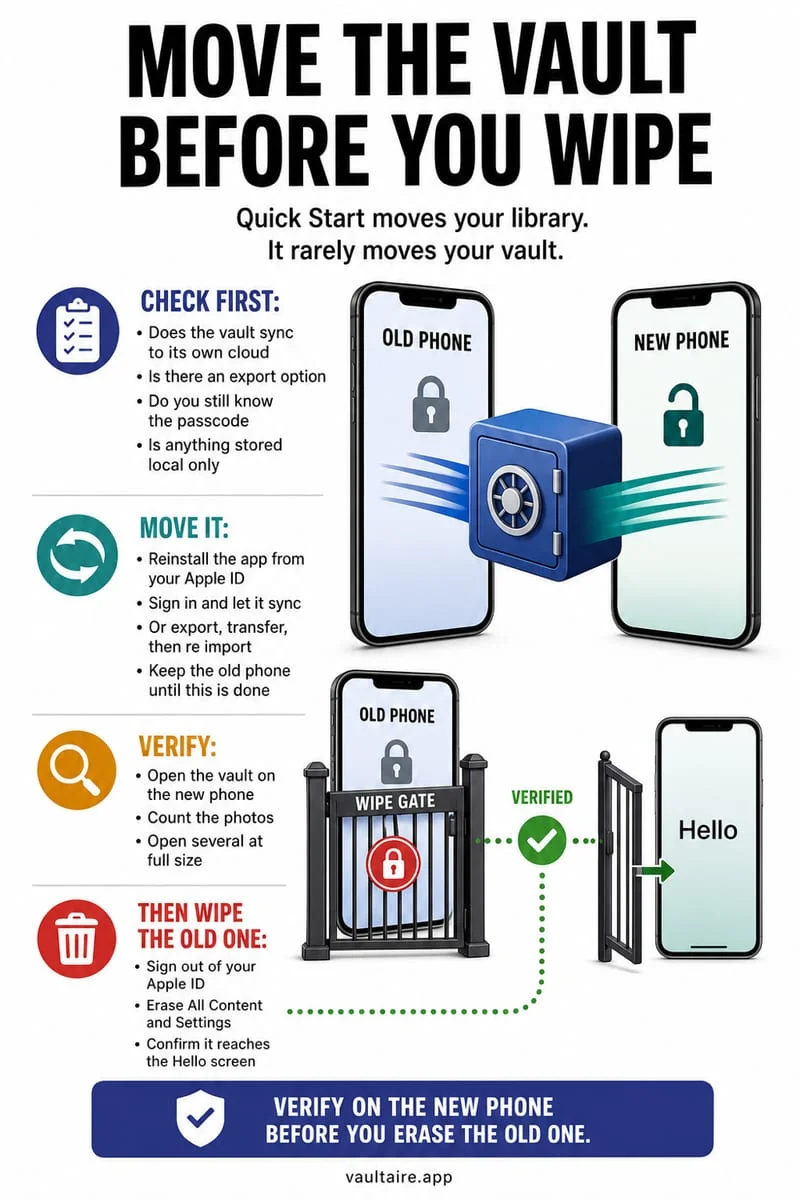
Even if you cannot unlock a local vault and did not have Face ID enabled, your photos or documents might still exist in another location on your devices depending on how and when you imported them. Because importing into a third-party iPhone vault creates an encrypted copy rather than moving the raw file across sandboxes, the originals stay in Apple Photos until deleted.
Start by checking Apple Photos → Collections → Utilities → Recently Deleted, where deleted photos and videos remain recoverable for 30 days. Next, inspect any secondary iPad or Mac that was offline when you deleted the originals, older Finder/iTunes computer backups created before you moved the files into the vault, or messaging threads where the photos were originally shared.
- Open Apple Photos → Collections → Utilities → Recently Deleted to check if the original files are still inside the 30-day recovery window.
- Open the Apple Files app → Browse → Locations → Recently Deleted if the locked items were PDFs or documents.
- Check any iPad or Mac signed into your Apple Account (put it in Airplane Mode first before waking it if a recent deletion hasn't synced yet).
- Search iMessage, WhatsApp, or email Sent folders where you may have originally sent or received the images.
How to prevent accidental vault lockouts without weakening security
Once you regain access to your files or set up a fresh vault, adopt two habits that prevent permanent lockouts. First, enable optional Face ID / Touch ID inside Octoshield: because Octoshield stores biometric unlock in a separate biometric-protected Keychain slot, you get instant shoulder-surfing-resistant access in public while retaining a second hardware-backed way into your vault.
Second, for irreplaceable life documents—such as passport scans, property deeds, tax records, or family heirlooms—always maintain an independent encrypted backup on an external drive at home. Local device-bound encryption guarantees nobody else can ever reset or steal your vault remotely, which means you are the sole custodian of your secret.
Frequently asked questions
01Will deleting and reinstalling a photo vault app remove the password?+
Deleting and reinstalling a local vault app resets the app to a fresh, empty state—which permanently erases all encrypted photos, videos, and keys stored inside its local iPhone sandbox.
02Can Octoshield support unlock my vault if I prove the iPhone is mine?+
No. Built by TengrX, Octoshield has no servers, no user accounts, no recovery service, and no backdoor access to your PBKDF2-SHA256 stretched secret, device-bound iOS Keychain keys, or AES-256-GCM encrypted files.
03Can I use Face ID if I forgot my Octoshield PIN, passphrase, pattern, or dial code?+
Yes, if you previously enabled optional Face ID / Touch ID unlock inside Octoshield, the app uses a separate biometric-protected Keychain slot that lets you unlock the vault with Face ID and immediately export your files.
04Does resetting my Apple Account password unlock a third-party photo vault?+
No. Third-party photo vaults do not use your Apple Account password for local encryption. Resetting your Apple ID password only helps if your photos were stored inside iCloud Photos and you lost access to your Apple Account.
05Why did Face ID stop working on my vault after I changed my iPhone biometrics?+
For security, iOS hardware Keychain slots protected by biometric enrollment can invalidate or require re-authentication when you reset Face ID or add an Alternate Appearance in iOS Settings. Always make sure you know your manual vault secret before resetting Face ID in iOS Settings.
Official sources & further reading
Lock your private photos behind real AES-256-GCM encryption.
Stop relying on a Hidden album that shares your iPhone lock-screen passcode. Import private photos and videos into Octoshield’s device-bound local vault with your own PIN, passphrase, 3×3 pattern, or safe combination dial.
- AES-256-GCM authenticated encryption in 512 KB chunks
- Encrypted thumbnails & filename catalog index at rest
- 4 lock styles: PIN, Passphrase, 3×3 Pattern, or Safe Dial + Face ID
- 100% on-device storage — zero cloud servers, zero ad SDKs
 AES-256-GCM + Cleaner
LOCAL IPHONE SANDBOX · KEYCHAIN BOUND
iOS menus can vary slightly by iOS version. Octoshield instructions describe the current local app implementation engineered by TengrX. Check the App Store listing for the version available to download.