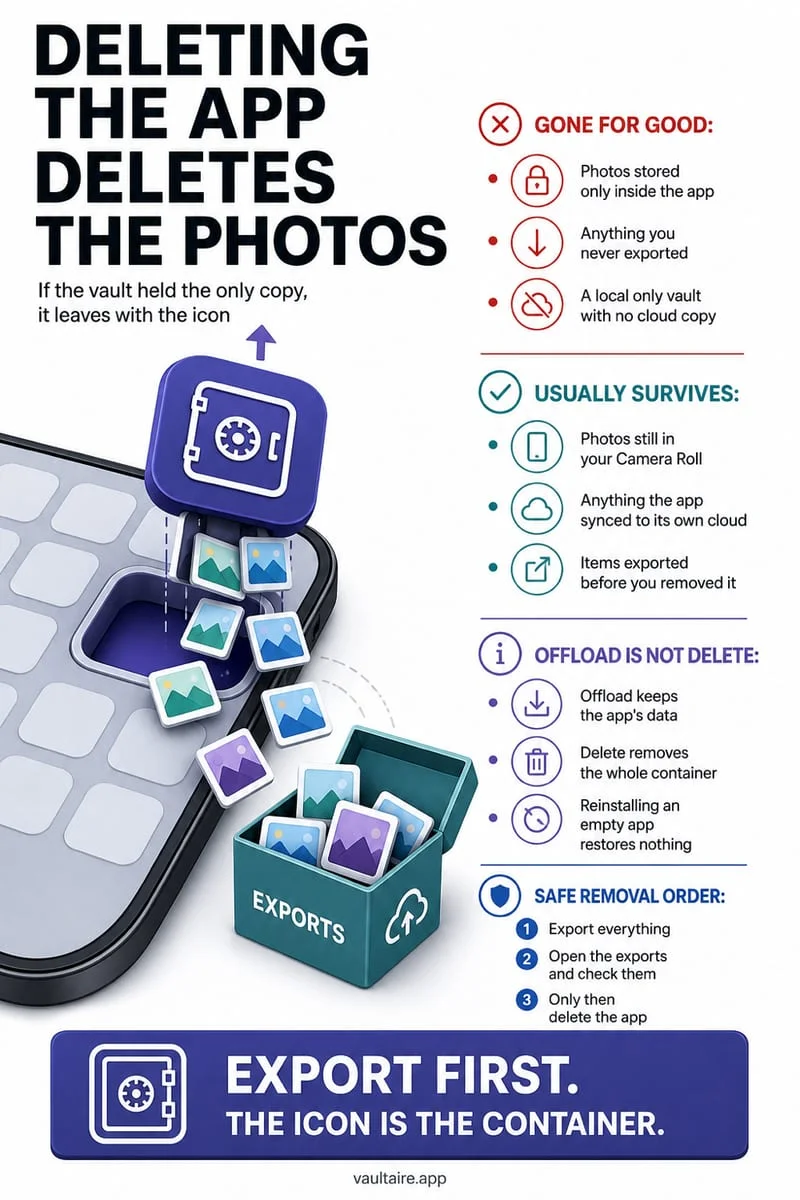
Yes—deleting a local photo vault app like Octoshield from your iPhone immediately and permanently erases all encrypted photos, videos, and files stored inside that app's local sandbox. Because Octoshield has no cloud server, no user account, and excludes vault data from iCloud backups, you must always export your files before deleting the app.
What iOS actually erases when you tap 'Delete App'
On iOS, every third-party application runs inside a strictly isolated filesystem directory known as an app sandbox. When you long-press an app icon, tap Remove App, and select Delete App, the iOS kernel immediately unlinks and destroys both the application binary and its entire local `Documents/`, `Library/`, and `Application Support/` containers—along with any app-specific Keychain items upon uninstallation.
In a strictly local cryptographic vault like Octoshield (built by TengrX)—where every file, thumbnail, and index entry is encrypted in 512 KB chunks with AES-256-GCM using HKDF-SHA256 per-item keys and explicitly excluded from iCloud and computer backups—tapping Delete App permanently destroys the only copy of that encrypted vault container.
Unlike Apple Photos, there is no 30-day 'Recently Deleted Apps' bin on iOS. Once you confirm 'Delete App' in the system alert dialog, the sandbox container is purged from APFS storage immediately.
Delete App vs. Remove from Home Screen vs. Offload App
iOS presents three similar-looking options when managing apps on your Home Screen or in Settings → General → iPhone Storage, and confusing them is the #1 cause of accidental vault data loss. 'Remove from Home Screen' and 'Hide and Require Face ID' are 100% non-destructive: they keep the app binary and all of your encrypted vault files completely intact while moving the icon to the App Library.
'Offload App' deletes the executable app binary (~50–100 MB) to save space while leaving your local `Documents/` sandbox container on disk so it reconnects when you re-download the app from the App Store. By contrast, 'Delete App' wipes both the app binary and every single file you ever imported into the vault.
- To hide Octoshield safely without losing a single photo: long-press the icon → Require Face ID → Hide and Require Face ID (or Remove App → Remove from Home Screen).
- Disable automatic app offloading in Settings → Apps → App Store → toggle off Offload Unused Apps so iOS never offloads your vault without asking.
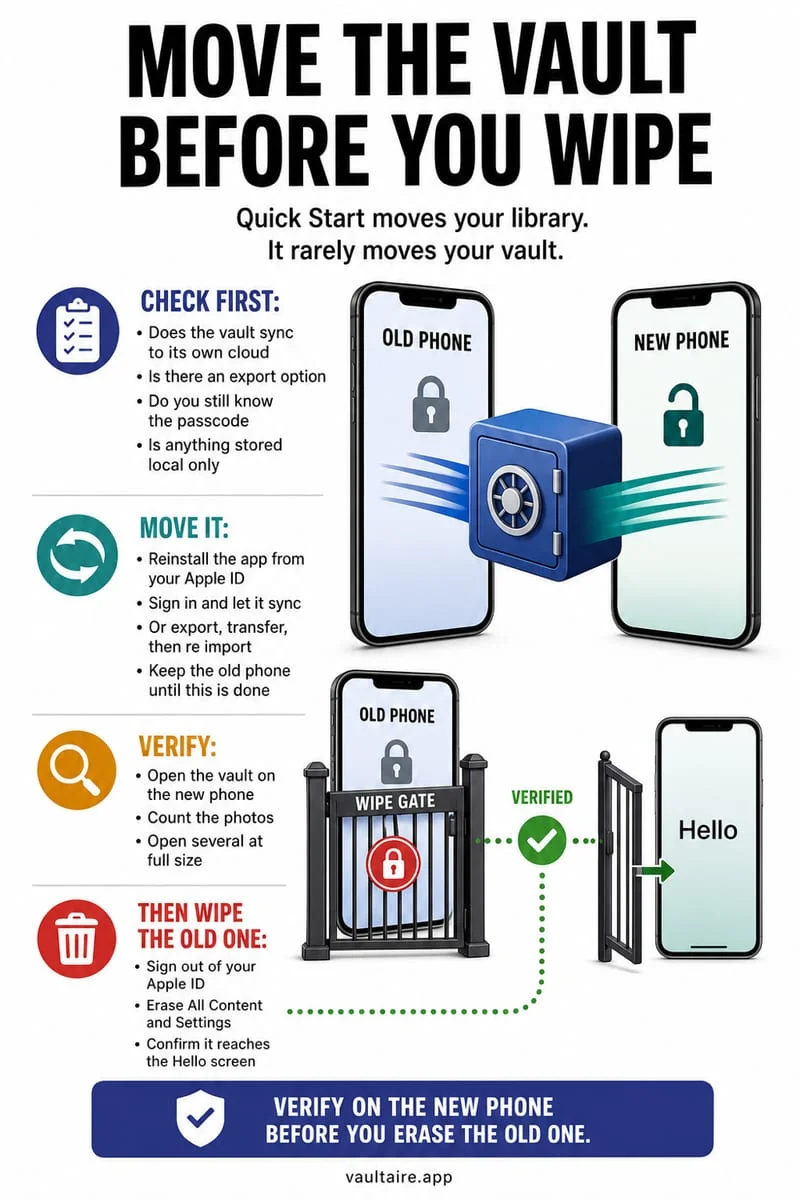
- Before ever tapping Delete App on Octoshield: open the app, unlock your vault, and export all photos, videos, and documents back to Apple Photos or Apple Files.
- Open Apple Photos or Apple Files and verify that every exported item opens properly before uninstalling the app.
| iOS Action | Where You Find It | Deletes App Icon from Home Screen? | Deletes Your Encrypted Vault Photos? |
|---|---|---|---|
| Remove from Home Screen | Long-press icon → Remove App → Remove from Home Screen | Yes (moves icon to App Library) | No — 100% of vault files stay safe |
| Hide and Require Face ID | Long-press icon → Require Face ID → Hide and Require Face ID | Yes (moves to locked Hidden folder in App Library) | No — 100% of vault files stay safe |
| Offload App | Settings → General → iPhone Storage → [App] → Offload App | Keeps icon with a cloud download badge | Preserves sandbox data until app is reinstalled from App Store |
| Delete App | Long-press icon → Remove App → Delete App (or iPhone Storage) | Yes (completely uninstalls app) | YES — Permanently erases all local vault files immediately |
Emergency checklist: What to check if you already deleted your vault app
If you accidentally tapped Delete App on a local photo vault without exporting first, stop immediately and check whether copies of those photos still exist in the locations where they lived before you imported them into the vault.
Remember that when you import a photo from Apple Photos into a third-party app—or when you swipe up inside Octoshield's Cleaner to encrypt an item into the vault and queue original removal—iOS routes the deleted original into Apple Photos' Recently Deleted album for 30 days. Unless you also manually emptied Recently Deleted after importing, your original unencrypted photos and videos may still be waiting there ready to be restored.
- Open Apple Photos → Collections → Utilities → Recently Deleted immediately and check if your original photos are still within their 30-day countdown.
- Open the Apple Files app → Browse → Locations → Recently Deleted if you had imported PDFs or documents from Files.
- Check any older Mac Finder backup or disconnected iPad that might still hold the pre-import originals.
Frequently asked questions
01Can I recover my Octoshield photos if I accidentally deleted the app?+
Not from Octoshield itself, because Octoshield has no cloud servers, no recovery service, and excludes vault files from backups. Immediately check Apple Photos → Collections → Utilities → Recently Deleted in case your original unencrypted photos were deleted fewer than 30 days ago.
02Does updating iOS or updating Octoshield in the App Store delete my vault?+
No. Standard App Store updates and iOS software updates preserve your local app sandbox data and Keychain keys. However, because no physical device is immune to hardware damage or loss, always keep a separate backup of irreplaceable files.
03Does removing an app from the Home Screen delete my vault photos?+
No. Choosing 'Remove from Home Screen' only removes the shortcut icon from your Home Screen pages; the app and all encrypted vault contents remain safely installed in your App Library.
04Why should I turn off 'Offload Unused Apps' if I use a local photo vault?+
If iOS automatically offloads an app when storage is tight and you later travel offline without internet access, you won't be able to open the app binary until you reconnect to the App Store to re-download the executable.
05If I delete a photo inside Octoshield, does it go to Apple Photos' Recently Deleted?+
No. Once a photo is encrypted inside Octoshield's local vault, it lives in Octoshield's private sandbox. Deleting an item from inside the vault erases its AES-256-GCM encrypted chunks directly without sending anything back to Apple Photos.
Official sources & further reading
Lock your private photos behind real AES-256-GCM encryption.
Stop relying on a Hidden album that shares your iPhone lock-screen passcode. Import private photos and videos into Octoshield’s device-bound local vault with your own PIN, passphrase, 3×3 pattern, or safe combination dial.
- AES-256-GCM authenticated encryption in 512 KB chunks
- Encrypted thumbnails & filename catalog index at rest
- 4 lock styles: PIN, Passphrase, 3×3 Pattern, or Safe Dial + Face ID
- 100% on-device storage — zero cloud servers, zero ad SDKs
 AES-256-GCM + Cleaner
LOCAL IPHONE SANDBOX · KEYCHAIN BOUND
iOS menus can vary slightly by iOS version. Octoshield instructions describe the current local app implementation engineered by TengrX. Check the App Store listing for the version available to download.