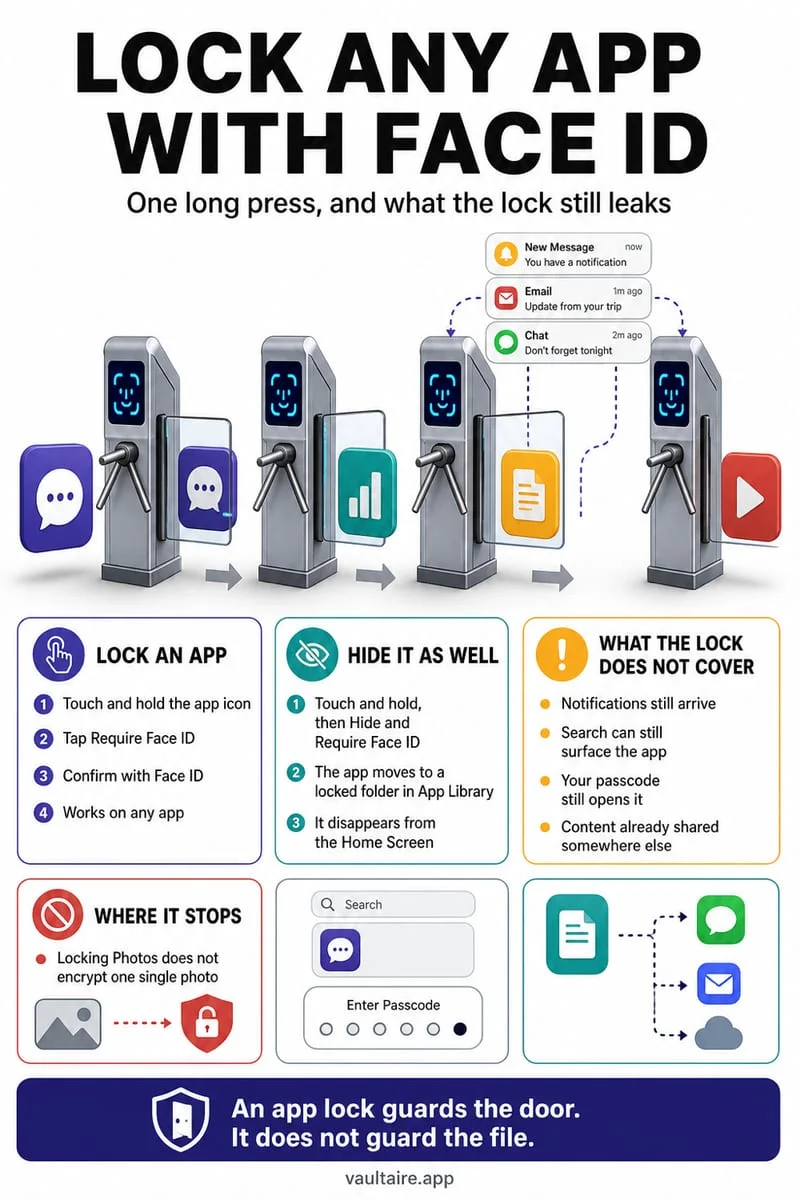
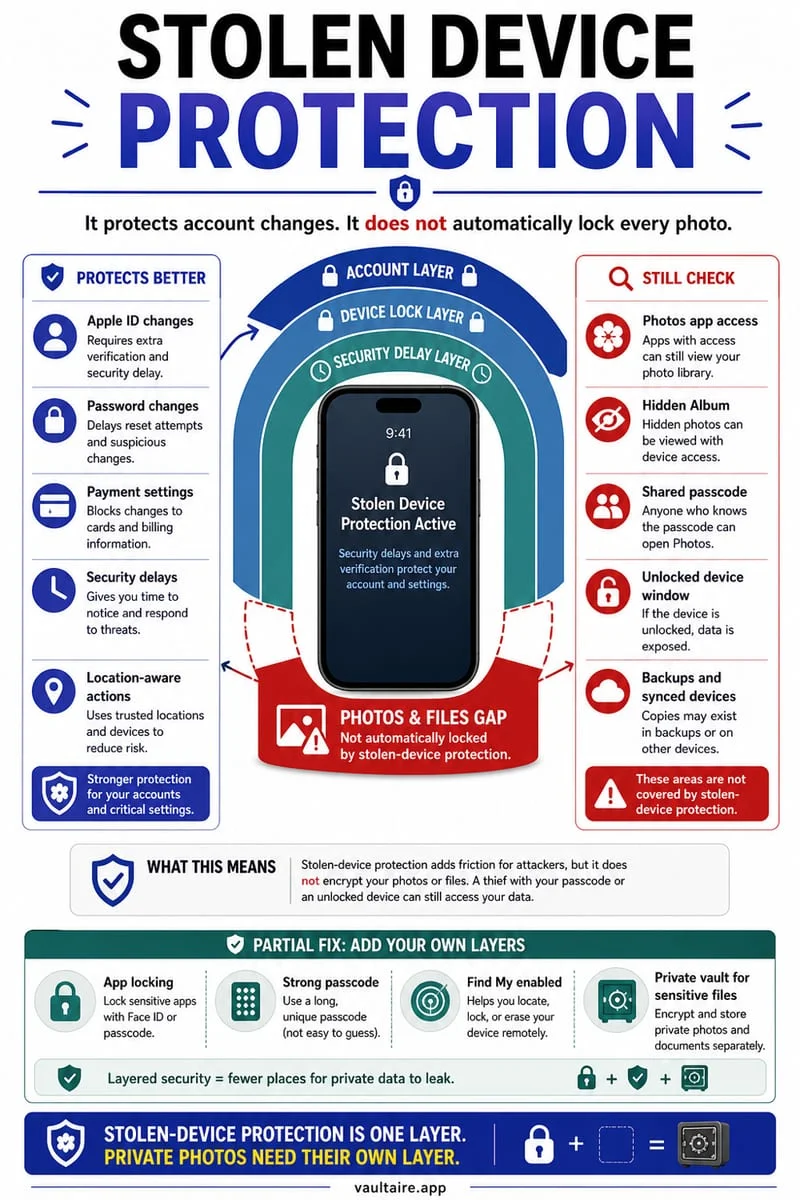
An available app lock adds an access check for that app on that iPhone; it does not create a new password for every photo or revoke access through other synced devices. Hidden has its own device-authentication behavior. Check which lock controls your iOS version supports and whether someone else knows the phone passcode.
An app lock and a private file store are different layers
You add Require Face ID to an app where iOS offers it and expect every related file to become separately protected everywhere. The lock is a local interface control. It does not automatically change the account, library, or copies used by other devices.
Not every app can be locked or hidden using the same system controls. Inspect the menu actually offered on your iPhone rather than following a generic instruction that promises the option for every built-in app.
Think about the credential another person already knows
If your concern is someone who knows the iPhone passcode, distinguish device authentication from a separate vault secret. Apple’s app-lock and Hidden workflows should not be described as an independent custom password for your private collection.
Biometric convenience does not answer every fallback or account question. Review the exact controls available, any relevant device-protection settings, and the other places where the same pictures exist. Do not promise an absolute guarantee from the presence of a Face ID icon.
- Inspect which system lock controls your app and iOS version actually offer.
- Check Hidden’s own settings and authentication.
- Review iCloud Photos and other signed-in devices.
- Choose separate-secret storage if that is the access boundary you need.
A local lock does not retract a synced or shared copy
A picture may still exist on a Mac, an iPad, in Google Photos, or in a message thread. Locking an app on this phone does not revoke those independent routes. Review them directly when your goal is privacy across an account.
If you move selected pictures outside Photos, verify the destination before deleting originals. Keep preservation and privacy separate: removing every visible source is not useful if it also leaves you unable to recover an essential file.
Add a separate secret with Octoshield
Octoshield stores imported private copies outside Photos under its own PIN, passphrase, pattern, or safe dial, with optional biometrics. That provides a different credential boundary from merely renaming an album or relying on the phone’s regular unlock.
It cannot remove remote copies or change Apple Account access. Its local vault is excluded from backups and has no recovery service; verify imports and export essential files before changing phones.
Frequently asked questions
01Does an app lock protect photos on my Mac too?+
No. A local app lock does not automatically change other devices’ authentication or account access.
02Can I give Apple’s Hidden album a completely separate custom password?+
The built-in Hidden workflow uses device authentication. Use a suitable separate-secret storage method when that distinction matters.
Official sources & further reading
Lock your private photos behind real AES-256-GCM encryption.
Stop relying on a Hidden album that shares your iPhone lock-screen passcode. Import private photos and videos into Octoshield’s device-bound local vault with your own PIN, passphrase, 3×3 pattern, or safe combination dial.
- AES-256-GCM authenticated encryption in 512 KB chunks
- Encrypted thumbnails & filename catalog index at rest
- 4 lock styles: PIN, Passphrase, 3×3 Pattern, or Safe Dial + Face ID
- 100% on-device storage — zero cloud servers, zero ad SDKs
 AES-256-GCM + Cleaner
LOCAL IPHONE SANDBOX · KEYCHAIN BOUND
iOS menus can vary slightly by iOS version. Octoshield instructions describe the current local app implementation engineered by TengrX. Check the App Store listing for the version available to download.