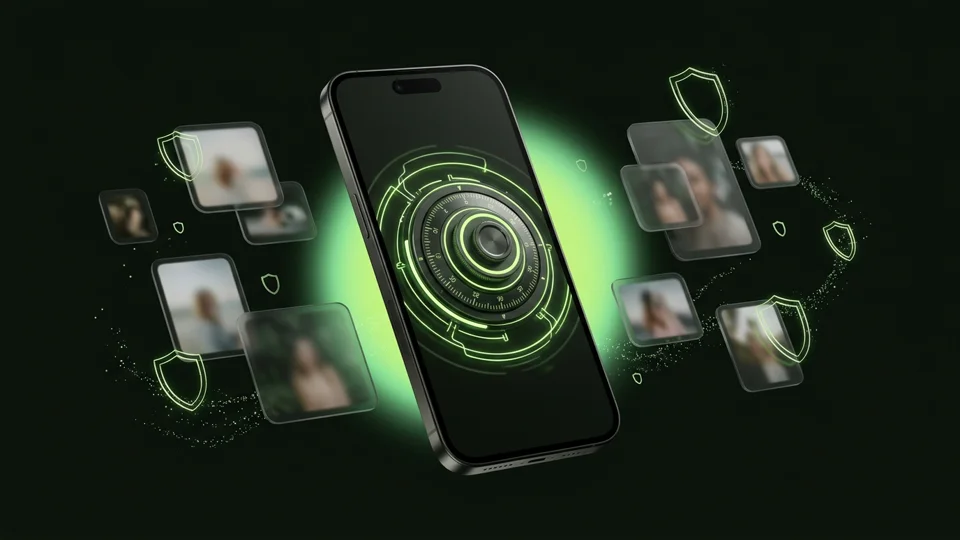
Use iPhone Locked Notes if you just want to password-protect a written note or a single reference image inside iCloud Notes. Choose Octoshield if you want to store dozens or hundreds of private photos, full videos, and PDFs in a dedicated AES-256-GCM encrypted vault with four lock styles and swipe-to-clean sorting.
Feature-by-feature comparison
How Octoshield compares to iPhone Locked Notes across file encryption, unlock methods, cloud exposure, document support, and camera roll cleanup.
| Security & Product Feature | Octoshield | iPhone Locked Notes |
|---|---|---|
| Designed for photo & video galleriesHow media is browsed, filtered, and played back | Dedicated Photos, Videos & Files vault grid with encrypted thumbnails | Inline attachments stacked inside a text document |
| Video support in locked itemsAbility to lock videos smoothly | Full encrypted video import and playback | Apple Notes historically restricts or struggles with locking notes containing video attachments |
| Separate unlock secretCan use a secret different from the iPhone passcode | Yes (PIN, passphrase, 3×3 pattern, or safe combination dial) | Yes (Custom Notes password or device passcode) |
| Encryption architectureHow data is encrypted at rest | Local chunked AES-256-GCM with per-item keys + device-bound Keychain key | Apple Notes encryption (syncs to iCloud Notes if enabled) |
| Swipe-to-clean camera roll workflowSwipe left to delete, right to keep, up to vault and queue original removal | Yes | No |
| Automatic original removal promptPrompts to remove the original from Apple Photos after importing | Yes (via photo importer or Cleaner queue confirmation) | No—you must manually return to Photos and find/delete every image yourself |
| Strictly local (no cloud sync)Keeps encrypted copies off synced Macs and iPads | 100% local on iPhone; excluded from iCloud & backups | Syncs via iCloud Notes unless placed in ‘On My iPhone’ account |
| PDF & general file vaultStore standalone documents cleanly without embedding in a note page | Yes | Inline note attachments only |
| Unlock interface optionsVariety of lock screens | PIN, passphrase, 3×3 pattern, safe dial + optional Face ID / Touch ID | Text password + optional Face ID / Touch ID |
| Batch import performanceImporting 50+ high-resolution photos at once | Built for batch media import with chunked encryption | A single note with 50+ photos becomes sluggish and hard to scroll |
| App switcher privacy blurHides open content when switching apps | Yes | Notes remains visible until locked |
| CostPrice to get started | Free download on the App Store | Pre-installed with iOS |
Pricing & storage model
Octoshield
- AES-256-GCM encrypted photo, video & file vault
- PIN, passphrase, 3×3 pattern & safe combination dial locks
- Swipe-to-clean photo organizer (left delete, right keep, up vault)
- No account, no email, no Octoshield cloud servers
- Check the App Store listing for current version and optional purchase details
- Same local AES-256-GCM encryption architecture across the app
iPhone Locked Notes
- Pre-installed Apple Notes app
- Uses iCloud storage if synced to iCloud Notes
- Designed for text notes rather than photo/video galleries
Why people used Apple Notes to hide photos—and where it breaks down
Because Apple’s Hidden album in Photos uses the main iPhone passcode, users looking for a separate custom password discovered they could insert a photo into an Apple Note and lock the note with a custom Notes password. For one picture of a Wi-Fi code, that works fine.
As soon as you try to manage an actual collection of private photos or videos, the Notes workaround falls apart: photos are stacked vertically inside a text document, locked notes have strict limitations around video and certain attachment types, and importing a photo into Notes never prompts you to remove the original from your camera roll.
A true encrypted gallery for photos, videos, and files
Octoshield is purpose-built for media and documents. When you import photos, videos, or PDFs, Octoshield encrypts each item in chunks with AES-256-GCM, generates encrypted thumbnails, and organizes them into clean Photos, Videos, and Files views.
You still get a completely separate secret from your iPhone passcode—with your choice of a passphrase, PIN, 3×3 pattern, or safe combination dial.
Solving the ‘forgot to delete from Photos’ mistake
The biggest privacy failure with the Apple Notes workaround is that sharing a photo to Notes leaves the original sitting in your main camera roll. In Octoshield, both the photo importer and the Cleaner’s up-swipe workflow explicitly handle original removal—prompting you or queuing the Photos original for deletion so you don’t leave unencrypted copies behind.
Local device-bound storage vs synced iCloud Notes
By default, notes created in Apple Notes sync across all your Apple devices via iCloud. Octoshield stores your vault strictly on your iPhone, binds key derivation to the iOS Keychain, and excludes the vault from backups. Remember to keep independent backups of irreplaceable files and export before changing phones.
What iPhone Locked Notes users run into
Common tradeoffs people experience with iPhone Locked Notes—and how Octoshield’s local architecture handles each scenario.
“I tried adding a video to an Apple Note and iOS told me notes with videos can’t be locked.”
Octoshield approach: Octoshield encrypts full-length videos, photos, and documents alike using chunked AES-256-GCM encryption.
“Once you put 15 photos into a locked note, it’s just an endless vertical column with no thumbnail grid.”
Octoshield approach: Octoshield provides a dedicated encrypted thumbnail grid with separate filters for Photos, Videos, and Files.
“I exported photos to a locked note and forgot they were still sitting right there in Recents.”
Octoshield approach: Octoshield prompts to remove originals during photo import, and Cleaner’s up-swipe automatically queues the original for deletion.
Frequently asked questions
01Why can’t I lock a video in Apple Notes?+
Apple Notes restricts locking notes that contain certain media attachments like videos or PDFs depending on iOS version. Octoshield is designed specifically to encrypt videos, photos, and PDFs in chunks using AES-256-GCM.
02Does Octoshield let me use a different password from my iPhone passcode?+
Yes. Just like a custom Notes password, Octoshield lets you set an independent passphrase, PIN, 3×3 pattern, or safe combination dial.
03Are files in Octoshield synced to iCloud like Apple Notes?+
No. Octoshield is strictly local to your iPhone and excluded from iCloud and computer backups.
04How do I move photos from Locked Notes to Octoshield?+
Unlock your note in Apple Notes, save or share the images to Photos or Files, import them into Octoshield, verify the encrypted copies, and then delete the note and any temporary Photos copies (including Recently Deleted).