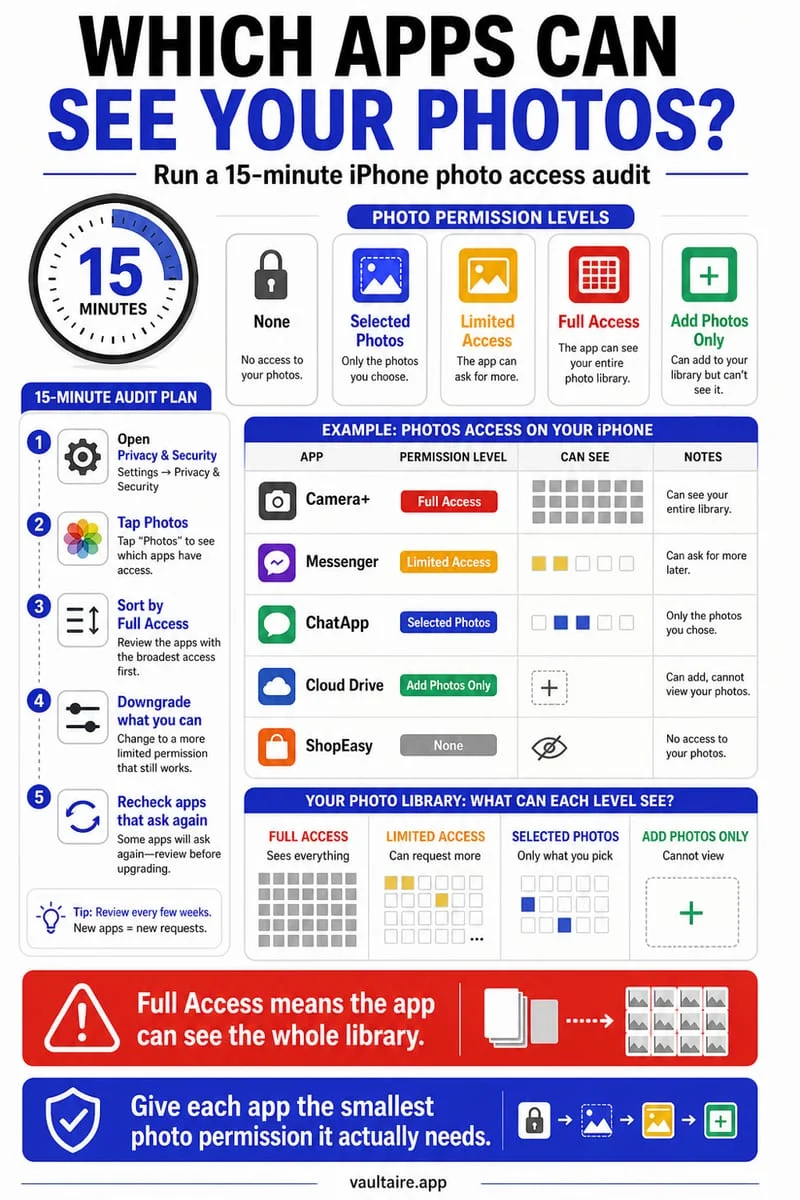
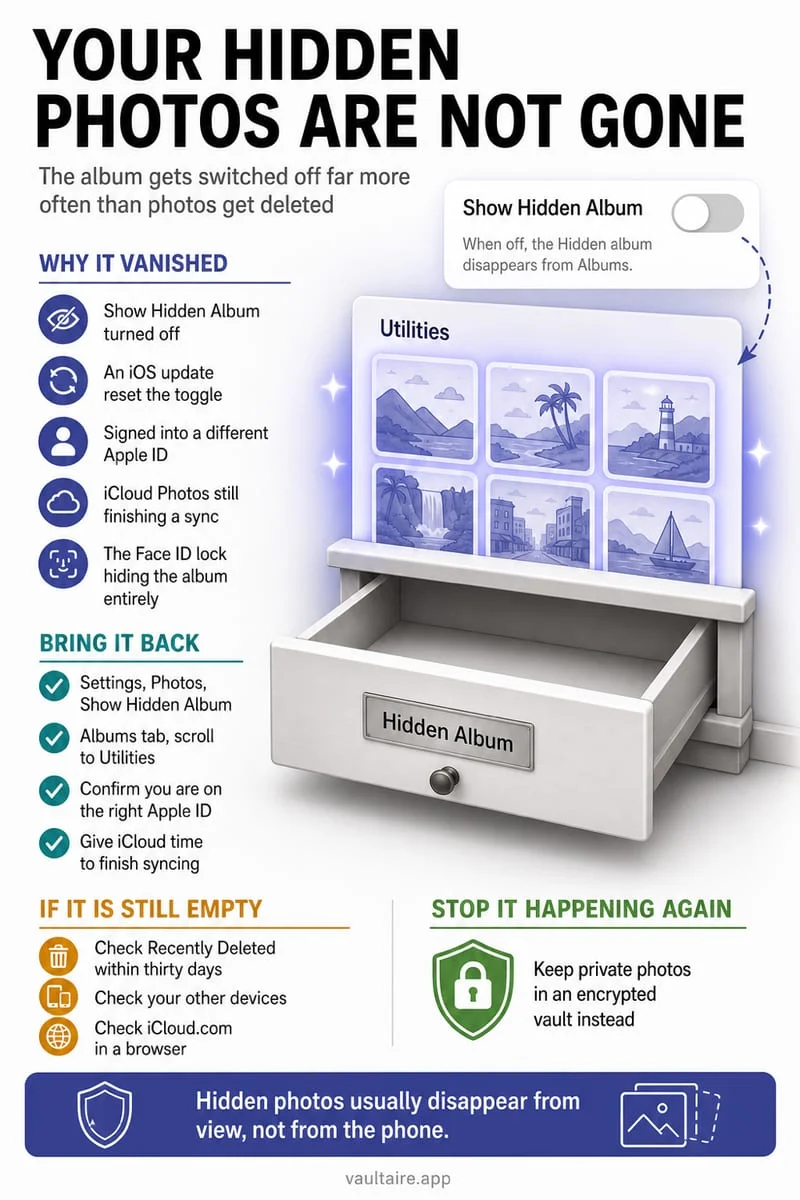
The app may have access only to selected photos, or you may be using a system picker that shares just the items you choose. Check Settings → Privacy & Security → Photos and the app’s access level. A limited view does not mean your library files were deleted.
Compare the app with Apple Photos
Open Apple Photos and confirm that the file still exists there. If it does, an incomplete app grid is more likely to be an access or picker issue than a lost photo. Also check whether the item was moved to Hidden.
iOS lets users control app access. A one-off selection through the system photo picker is different from granting ongoing library access. An app may therefore show only a few selected items or no persistent library grid at all.
- Open Settings → Privacy & Security → Photos and select the app, if listed.
- Review the current access level and adjust the selected items if that option is available.
- Return to the app and choose the intended file again.
Grant access for the task you are doing
If you only want to send one picture, a picker-based selection may be enough. If a cleaner needs to review a broader library, it may need a broader permission. Read the request’s explanation rather than granting full access automatically.
Cloud-only originals may also need to download before an import completes. Keep the original intact until the destination file opens successfully.
Verify an Octoshield import before removing the source
When importing into Octoshield, select the files you actually want in the vault and open them afterward. A missing item in a picker is a reason to check source visibility and access, not a reason to delete and reinstall a vault app.
Do not remove source photos while an import is incomplete. Importing makes a separate protected copy; reviewing that copy is the practical check that the workflow succeeded.
Frequently asked questions
01Do I have to give every app Full Access?+
No. Choose the least access that supports the task. A selected-file picker can be sufficient for a one-off upload or import.
Official sources & further reading
Lock your private photos behind real AES-256-GCM encryption.
Stop relying on a Hidden album that shares your iPhone lock-screen passcode. Import private photos and videos into Octoshield’s device-bound local vault with your own PIN, passphrase, 3×3 pattern, or safe combination dial.
- AES-256-GCM authenticated encryption in 512 KB chunks
- Encrypted thumbnails & filename catalog index at rest
- 4 lock styles: PIN, Passphrase, 3×3 Pattern, or Safe Dial + Face ID
- 100% on-device storage — zero cloud servers, zero ad SDKs
 AES-256-GCM + Cleaner
LOCAL IPHONE SANDBOX · KEYCHAIN BOUND
iOS menus can vary slightly by iOS version. Octoshield instructions describe the current local app implementation engineered by TengrX. Check the App Store listing for the version available to download.