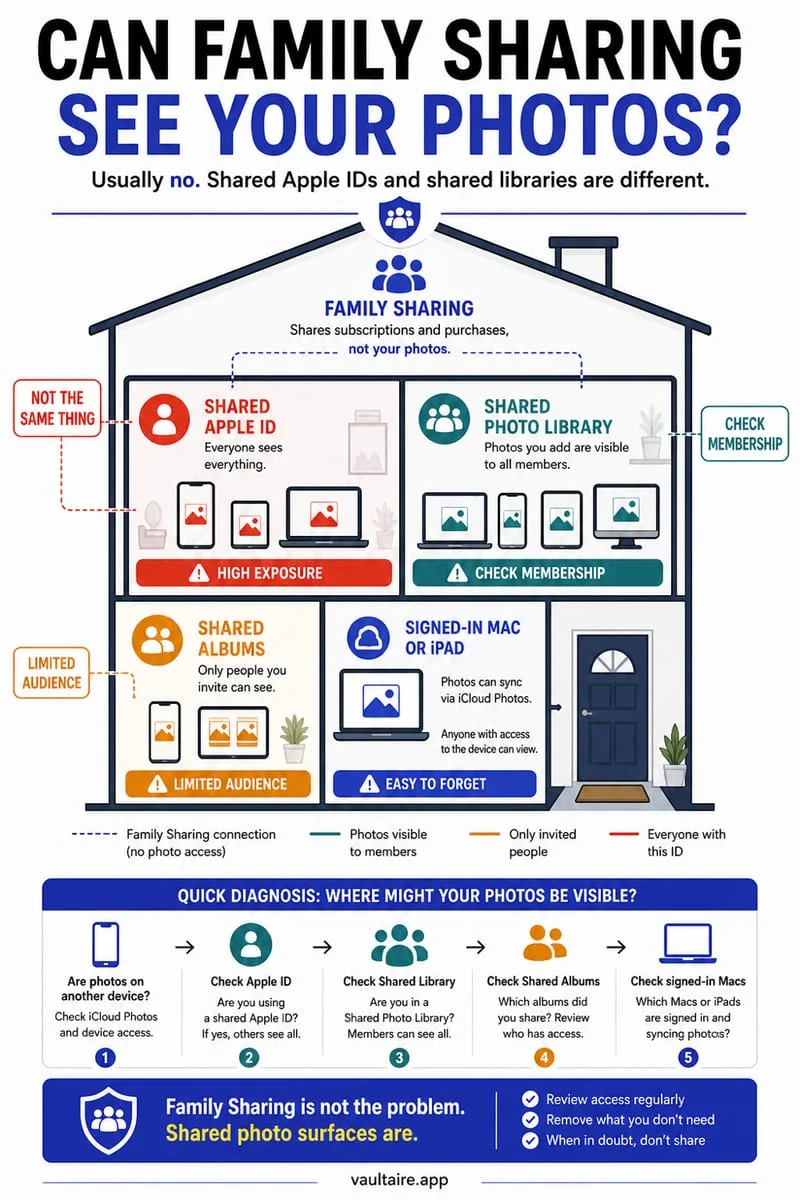
Yes. Apple says a photo hidden in an iCloud Shared Photo Library moves to Hidden for all participants, where they can view or unhide it. Hiding a shared item is not a way to make that item private from the people who already share the library.
Identify the library before using Hide
You share a family library and want one picture out of view. Before choosing Hide, check whether it belongs to your Personal Library or Shared Library. The action can look the same while the audience is different.
Family Sharing, Shared Albums, and iCloud Shared Photo Library are separate features. An answer about one does not automatically describe the others. Open the actual library settings and look at the participants rather than inferring access from a family group alone.
Hidden is a shared visibility state in a Shared Library
For content in Shared Library, hiding is not an ownership change. Another participant can still access the hidden item and stop hiding it. Treat Hide as presentation control for the shared collection, not as a private lock applied only for you.
A participant may also have saved an independent copy. Even a later removal or library change cannot guarantee that every earlier recipient’s copy disappears. If the image should never have been shared, avoid promising yourself that one toggle can undo all exposure.
- Confirm whether the item is in Personal Library or Shared Library.
- Review participants and camera-sharing settings.
- Keep future private files outside Shared Library.
- Verify any separate retained copy before making library changes.
Change future storage before the next sensitive photo
Review automatic sharing from Camera, especially when participants are nearby. A personal document scan or private snapshot should not rely on remembering to hide it after an automatic upload. Inspect the current sharing mode before capture.
If you need to change existing shared content, use Apple’s available library controls and read the consequences for other participants. Do not experiment with deleting a Shared Library just to hide one picture; that affects the collection and can leave retained copies.
Store future private copies in Octoshield
Octoshield’s local encrypted vault provides a storage space outside Apple Photos and its Shared Library. Import a private file, open it to verify the result, and remove any unwanted source copies separately.
It cannot recall a file already shared with another person. Its local files are excluded from backups, so maintain an independent preservation plan for anything you cannot replace.
Frequently asked questions
01Is Shared Library the same as Family Sharing?+
No. Review the specific Photos sharing feature and its participant list instead of assuming a family group determines every photo’s audience.
02Can a vault remove photos from other participants’ devices?+
No. A vault protects imported copies on your device. It does not revoke or remotely erase copies another person already has.
Official sources & further reading
Lock your private photos behind real AES-256-GCM encryption.
Stop relying on a Hidden album that shares your iPhone lock-screen passcode. Import private photos and videos into Octoshield’s device-bound local vault with your own PIN, passphrase, 3×3 pattern, or safe combination dial.
- AES-256-GCM authenticated encryption in 512 KB chunks
- Encrypted thumbnails & filename catalog index at rest
- 4 lock styles: PIN, Passphrase, 3×3 Pattern, or Safe Dial + Face ID
- 100% on-device storage — zero cloud servers, zero ad SDKs
 AES-256-GCM + Cleaner
LOCAL IPHONE SANDBOX · KEYCHAIN BOUND
iOS menus can vary slightly by iOS version. Octoshield instructions describe the current local app implementation engineered by TengrX. Check the App Store listing for the version available to download.