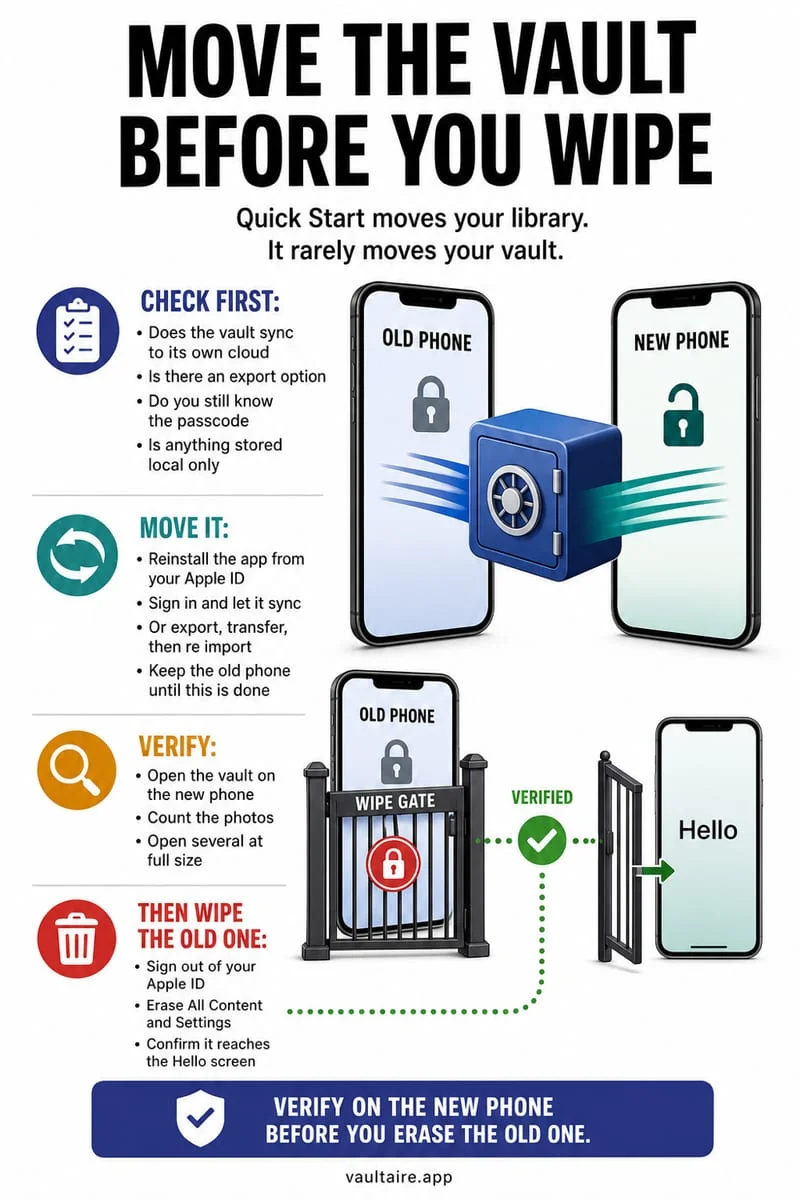
Local-only Locked Folder files can be lost if you delete the app, clear its data, reset the device, or lose the phone. Check the folder’s backup setting and verify an appropriate copy before making those changes. A device transfer is not proof the files transferred.
Pause the reset until you know where the files live
An ordinary Google Photos backup setting and the Locked Folder backup setting deserve separate checks. Do not infer that sensitive items are protected just because the main library looks backed up.
Google explains that unbacked Locked Folder items are not included in ordinary cloud or device-to-device transfers. A successful new-phone setup can therefore leave that folder empty.
- Open Google Photos → Collections → Locked and review its backup setting.
- If you choose backup, verify the relevant files are accessible through the intended account before resetting.
- If you choose another copy, open it and inspect its quality before removing anything.
Recovery depends on an existing copy
If the old device or app data is already gone, check whether Locked Folder backup was enabled and whether you used another export. Do not pay for a tool solely because it promises to recover any encrypted folder.
A visible empty folder on the new phone is not evidence that a remote support team can recreate local-only files. Preserve the old phone unchanged if it may still hold the data.
Octoshield has the same need for a deliberate loss plan
Octoshield is designed for local iPhone storage and excludes vault data from iCloud and computer backups. It can suit someone avoiding cloud copies, but it is not a recovery service for Google Photos.
Before changing phones, export essential Octoshield files through a secure workflow and verify them. Choose your storage tool based on both who can open the files and what happens if the device disappears.
Frequently asked questions
01Can Octoshield restore my missing Google Locked Folder?+
No. It can store files you can currently access and import. It cannot recover missing Google app data or retrieve a copy that was never backed up.
Official sources & further reading
Lock your private photos behind real AES-256-GCM encryption.
Stop relying on a Hidden album that shares your iPhone lock-screen passcode. Import private photos and videos into Octoshield’s device-bound local vault with your own PIN, passphrase, 3×3 pattern, or safe combination dial.
- AES-256-GCM authenticated encryption in 512 KB chunks
- Encrypted thumbnails & filename catalog index at rest
- 4 lock styles: PIN, Passphrase, 3×3 Pattern, or Safe Dial + Face ID
- 100% on-device storage — zero cloud servers, zero ad SDKs
 AES-256-GCM + Cleaner
LOCAL IPHONE SANDBOX · KEYCHAIN BOUND
iOS menus can vary slightly by iOS version. Octoshield instructions describe the current local app implementation engineered by TengrX. Check the App Store listing for the version available to download.