ChatGPT for Coding: Preventing API Key Exposure in AI-Generated Microservices

ChatGPT for Coding: Preventing API Key Exposure in AI-Generated Microservices
Using chatgpt for coding has become standard practice for developers seeking to accelerate software delivery. In 2026, Large Language Models are capable of instantly generating entire boilerplate applications, database integration clients, and complicated deployment configurations.
While chatgpt for coding offers massive productivity boosts, it also introduces a serious security challenge: the accidental generation and exposure of active API keys, passwords, and other hardcoded secrets.
When developers prompt ChatGPT to write microservices, they frequently copy-paste the output directly into their repositories without conducting a thorough security review. Let's look at the underlying risks of this workflow and explore how to establish a secure, automated framework to protect your credentials.
The Hardcoded Secret Trap
When generating connection clients, ChatGPT often uses placeholder variables. A classic output might look like this:
javascript snippet// Connect to the service
const client = new APIClient({
  apiKey: "YOUR_API_KEY_HERE", // Replace with your live API key
  environment: "production"
});
To test the generated code quickly, a developer might replace "YOUR_API_KEY_HERE" with their actual live credentials (e.g., AWS keys, Stripe secret keys, or Slack webhooks). If they forget to extract this key into a secure environment configuration before making a git commit, the secret leaks directly into the source control history.
The Problem with Context Windows
Another major threat vector is the ChatGPT context window itself. To debug a local runtime error, developers often copy-paste entire configuration files, log files, or terminal stack traces into ChatGPT.
These inputs frequently contain active credentials, including database connection strings, JWT tokens, or raw authorization headers. If these prompts are stored in the AI provider's cloud history or used for future model training, the sensitive information is effectively compromised.
Data Leakage via AI History AI providers store prompts to improve model alignment. If your developers paste active credentials into ChatGPT, these secrets are saved on external servers. If the provider experiences a database breach or if the developer's corporate account is hijacked, your production systems could be compromised.
Establishing Secure AI Coding Workflows
To harness the power of chatgpt for coding without compromising security, companies must enforce the following guardrails:
1. Mandatory Environment Decoupling
Developers should never write or copy code that contains hardcoded credentials. All connection parameters must be read from environment variables or retrieved from an encrypted vault:
javascript snippet// Secure generated structure
const client = new APIClient({
  apiKey: process.env.API_GATEWAY_KEY,
  environment: process.env.NODE_ENV || "development"
});
2. Pre-Commit Hooks and Automated Scans
Humans make mistakes, especially under tight deadlines. The best way to prevent credentials from leaking is to make it impossible to commit them.
- Git Hooks: Install local pre-commit hooks that scan modified files for high-entropy strings and known API formats.
- Continuous Integration (CI): Run a credential scanner during every build and pull request pipeline. If a secret is detected, fail the build immediately.
How Octoshield Protects Your AI-Driven Workflow Octoshield is engineered specifically to prevent leaks in modern, fast-paced coding workflows. By monitoring your local workspace in real-time, Octoshield automatically flags high-entropy variables as soon as you copy code from ChatGPT. It alerts you before you can run a git commit, keeping your repository clean and secure.
Conclusion
ChatGPT for coding is a revolutionary developer tool, but it must be paired with modern Developer Security security practices. By strictly separating code from configuration, using secure environment parameters, and implementing automated secret scanning with Octoshield, you can build applications with AI velocity without exposing your infrastructure to credential theft.
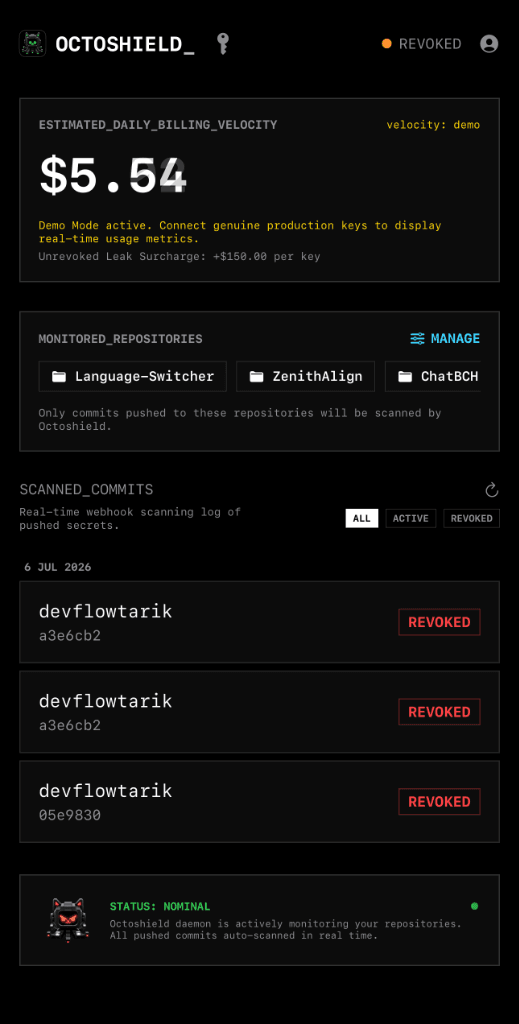
Octoshield in your pocket.
Monitor leaks and manage credentials on the go with our native iOS app.